Archive

Archive for the ‘General’ Category

New Laptop

September 6th, 2009

Following some serious problems with my Eee PC, I acquired a new laptop, a real one. I was planning to use the Eee as may main and only computer but some very serious problems with its SDD (that I will describe in another post soon) prevented me form doing so.

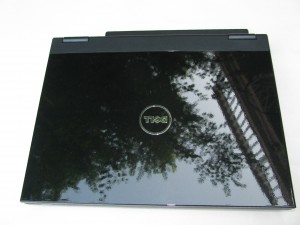
I opted for a Dell Vostro 1320 and must say it is a beautiful machine. It is small, powerful, light, and most importantly shiny.

Vostro 1320

Vostro 1320

Some Specs:

  • Intel Core 2 Duo P8700 @ 2.53GHz
  • nVidia Corporation GeForce 9300M GS
  • 4GB RAM
  • 320 GB HDD
  • 13.3″ screen matte (I can’t stand glossy displays)
  • Intel wireless adaptor draft n
  • 12 cell battery
  • Mono integrated speaker (this is its only weakness)

I am running Kubuntu 9.04 with KDE 4.3.1 and it is absolutely marvelous. Everything works perfectly (except for the microphone). As a matter of fact, KDE is so absolutely mind blowing I’ll make a post exclusively about it soon (hopefully).

I know I am running late with my posts and answering messages but I’ll post some new projects very soon.

General, Tools

RobotShop + Carlitos’ Contraptions

June 29th, 2009
RobotShop.com

RobotShop.com

The robotics parts retailer RobotShop will be sponsoring robotics projects at Carlitos’ Contraptions. As a result I’ll be rolling out robotics projects for the next weeks/months.

I’ll try to make simple projects at the beginning and build up the difficulty level as I go. The idea is that, if you completed the the first projects, you will be able to reuse the skills/parts/code to build the future projects.

Of course, all articles are going to be published under the usual Creative Commons license and the code is going to be published under the GPL license.

I am planning to use Python for any program running on a computer and Arduino as a micro-controller platform. These choices aim at making the projects as open and as accessible as possible. Also, they ensure that they are perfectly cross-platform.

As always, I am open to any suggestions or wishes regarding the projects.

Note: the RobotShop logo above is not published under the CC license.

General

Look! It’s moving!

April 14th, 2009

Dear readers,

I have been experimenting with web servers, web design, web applications and many other things that begin with “web”. The result? The blog is moving to a new address.

Its new home is http://carlitoscontraptions.com/. I’ll try to make the transition as seamless as I can and I hope not to loose too many readers in the process.

I came to this decision since I started playing with WordPress and I really enjoyed it. Not that I don’t like Blogger, it is just that I feel I need more control over the site. I also got a pretty good deal in web hosting so getting a domain and infinite server space and bandwidth was really cheap.

Let’s hope everything goes for the best.

General

Basement Cleanup

December 16th, 2008

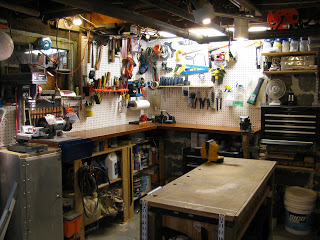
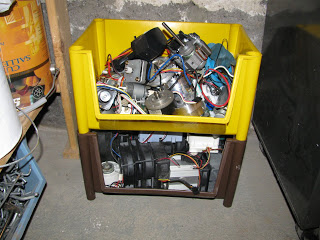
I finally cleaned up my basement/workshop and put some order into my tools and materials. My main source for materials in general is the garbage as the faithful readers may already know. Too bad I was too late for the Hacked Gadgets Workbench Contest.

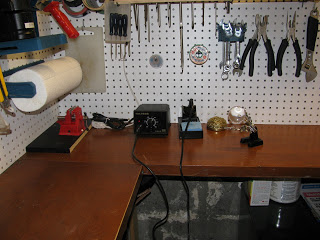
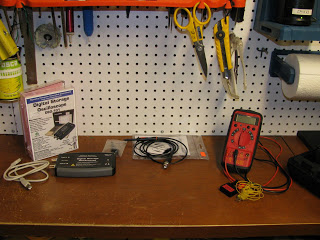
My new soldering space

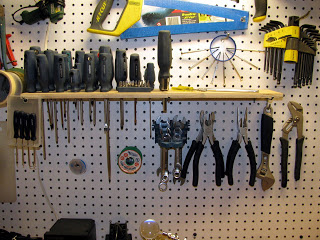
I also got some new tools a while ago. Note the precision screw driver holder made out of a plastic jar cap and the screw driver stand made out of a piece of wood I found in the garbage.

I also got some new measuring tools that are extremely useful (and make me extremely happy).

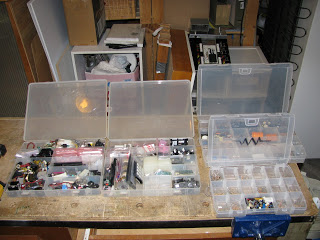
Some of my electronics parts:

General, Tools

Eee PC 1000 + Ubuntu + KDE 4.1

September 1st, 2008

My computer finally died. After close to ten years of faithful service, my computer catastrophically failed one last time (this doesn’t necessarily mean I won’t try to fix it). Anyways, this pushed me to finally buy another computer after many years of searching around.

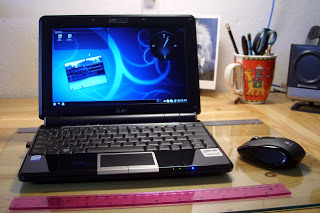
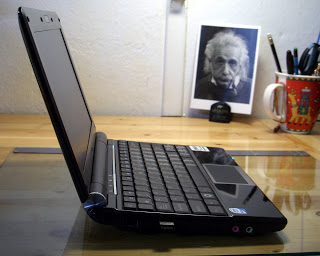
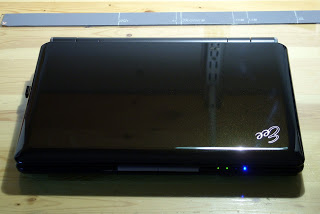
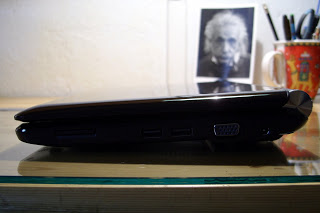
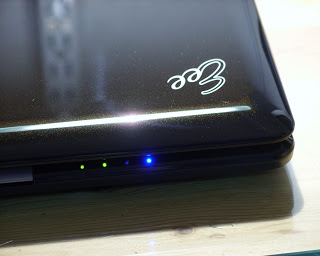
I chose to buy an Asus Eee PC 1000; I could not be happier with my buy.

The obligatory Eee PC specs:

  • 1.6 GH Intel Atom CPU
  • 1 GB RAM
  • 40 GB SDD (8 + 32)
  • 10 in LCD
  • SDD card reader
  • Multi-touch touchpad
  • Shiny black body
  • WiFi draft n

The solid storage is great. It gives the peace of mind that I require to be able to take the laptop everywhere on my bike or in my backpack (I jump around a lot). I have currently formatted both disks with ext3 partitions mounted with the realtime option. I know about the life expectancy concerns but I have not found any reference that says that my SDD drives will die prematurely if I use the ext3 filesystem instead of ext2. Also, the ext3 filesystem is more robust and it doesn’t corrupt files if it is not checked often or if the computer is turned off abruptly.

I installed Kubuntu by creating a live USB stick using UNetbootin and then setting the USB stick as the primary device in the BIOS. The Eee PC then boots with the USB key and Kubuntu can be installed normally. For more info about installing Ubuntu please refer to this page.

In order to have the WiFi adapter and the wired Network card working, I used the kernel packages from Array.org.

The battery life is awesome. It is much longer than in conventional laptops, even with the processor working at full speed, the LCD at full brightness and the WiFi adapter enabled. Also, the keyboard is very nice and not too small. It is really easy to get used to it. For more info about the Eee PC performance, please watch the following video:

The touchpad is very good and the multitouch feature works very well. It is hard to go back to normal touchpads. Nevertheless, a mouse is much faster and precise, so I decided to buy a mouse: the Logitech VX Nano.
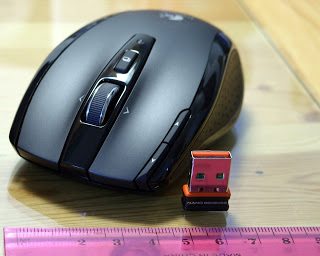
Needless to say, the VX Nano is wonderful and a perfect match for the Eee PC. They have both been carefully designed with particular attention to detail and quality. They come with carrying cases and are very sturdy and good looking.

It is obvious that I’m happy with my two new toys.

Finally, KDE 4.1 is simply perfect. It is beautiful, fast, and very well thought. In short: the perfect software for the perfect hardware.

General