Posts Tagged ‘Electronics’

Enough with the guesswork, I got Logic

I just got a shiny new Logic, a tiny 8-channel, 24 MHz logic analyzer from Saleae LLC, and it is beautiful. I’ve been wanting to get a logic analyzer for quite some time and this little guy is definitely worth the 150 bucks it costs.
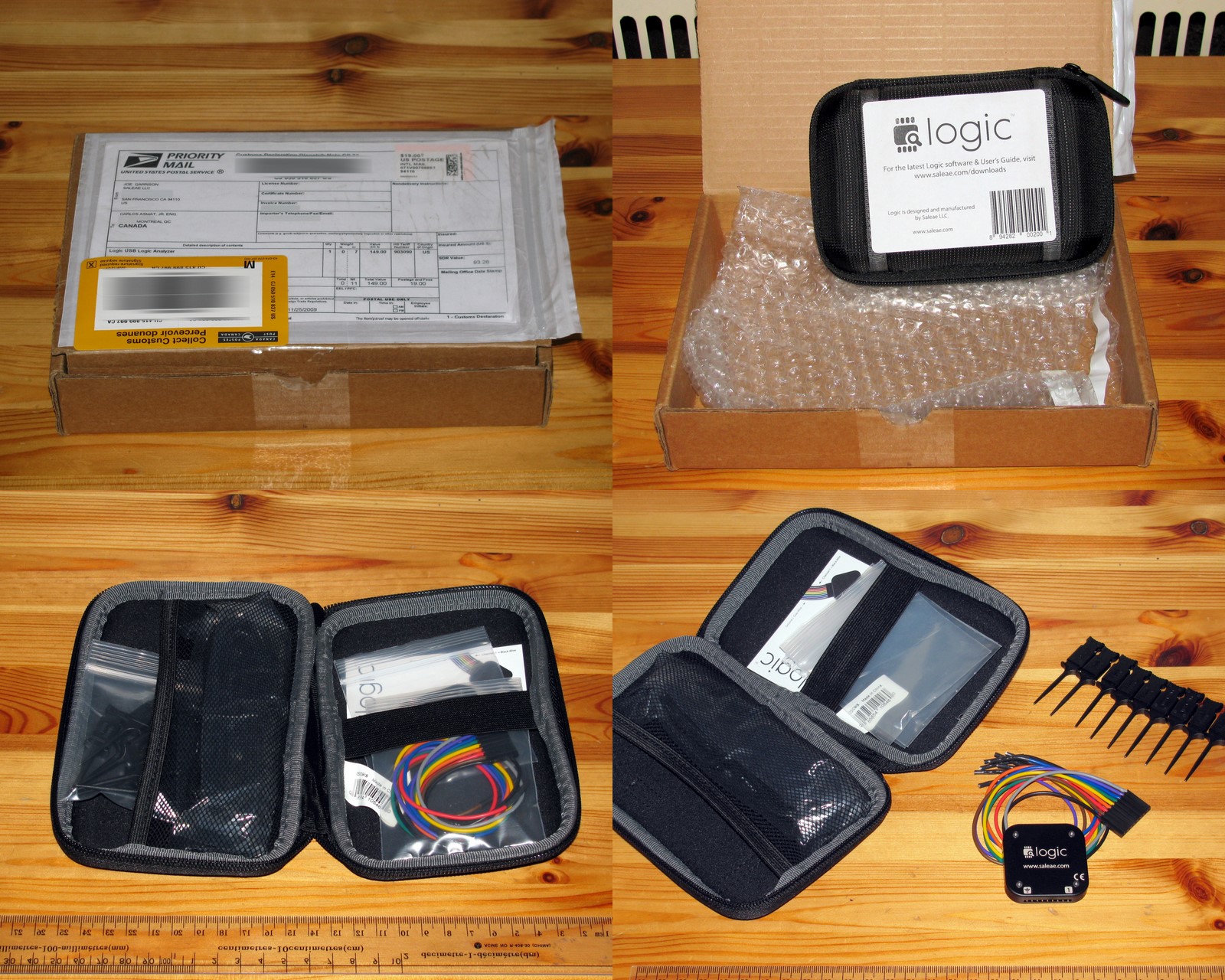
Logic Unboxing

Logic Unboxing

Logic Analyzer?

(skip this if you already know what a logic analyzer is and do not want to be bored to death)

A logic analyzer is a measurement instrument that allows you to record the logic level (e.g. high or low) of a digital signal throughout time. This means that if you are working with a micro-controller and want to know what is actually happening at the pins, you can use a logic analyzer to record the signals of interest and display them on a time-line on a computer screen. This is very convenient considering that debugging microcontrollers often implies guessing or using lame techniques such as slowing down the execution time and lighting up LEDs in order to see what the program is doing.

In short, a logic analyzer allows you to view digital signals and plot them with respect to time.

Casing
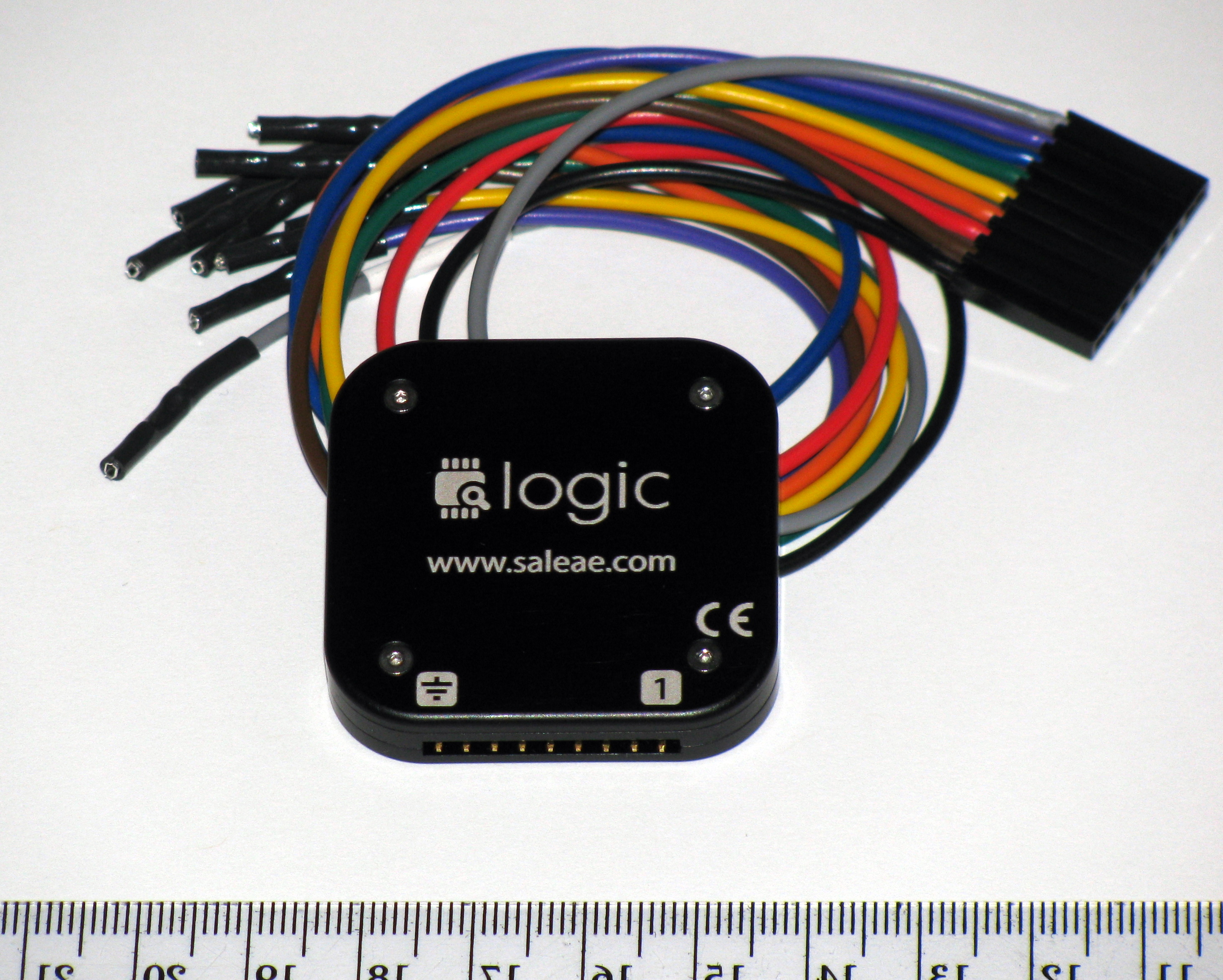
The Logic, by Saleae

The Logic, by Saleae

The Logic has a nice square anodized aluminum body which makes it very sturdy and looks awesome. It is very small (~ 4.5 cm on the side and ~ 0.7 cm high) and features some male headers on the front side and a mini USB port type B on the back. For some reason, I really like the four tiny hex screws that hold together the two aluminum plates that make the body.

Accessories
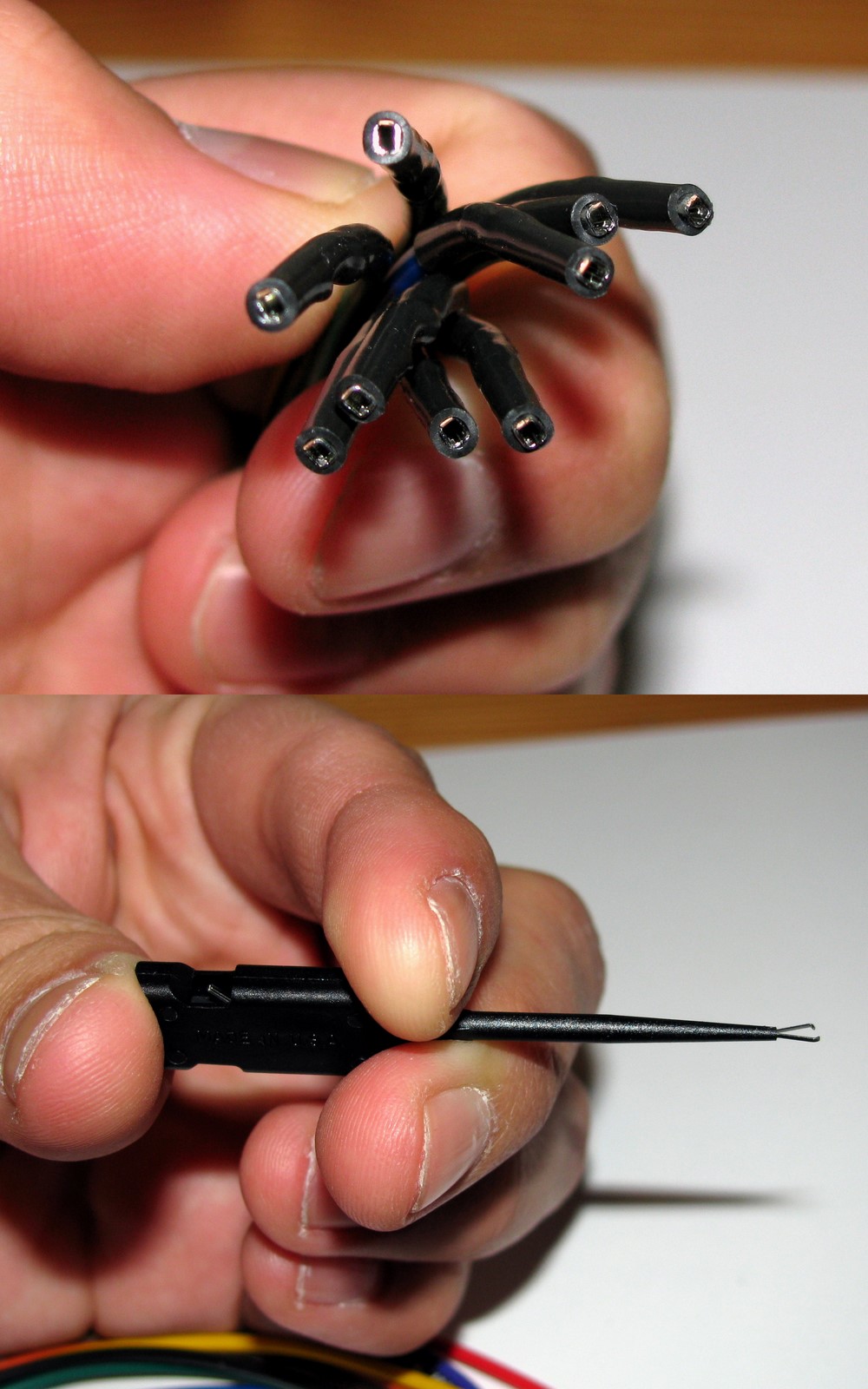
Cabels & Hooks

Wires & Hooks

The Logic comes in a nice Logic Case, usually intended for some other electronics such as external hard drives I suppose, that can accommodate itself and its USB cable, its set of wires and the E-Z-hook clips.

What I enjoy the most is that the wires are robust and kink-proof, and they are terminated in female headers, which makes them very easy to use in breadboards and on male pins in general. Also, the hooks are removable and they can connect to harder-to-access pins in a secure way. The wire colour coding follows the resistor colour coding (i.e. Channel 0 is black, channel 1 is brown, etc) and this might be a bit confusing at the beginning since the Ground wire is grey instead of being the usual black.

Finally, the carrying case is a very nice feature since it allows you to have the Logic and all the related items in one single place. The case is a bit too big, but I the extra space could be used to store some extra accessories, such as headers gender-changers (for plugging into female headers) or wire extensions with special ports (e.g. DB-9, RJ-45). I also enjoy the fact that all the components come in their own little zipper-bag that allows you to store the unit in a nice pristine condition (it may not seem like it, but I like to preserve things in their original state, unless they come from the garbage in which case I mod them and unscrupulously use their pieces).

Hardware

I did not want to take the Logic apart in order to see its guts (so far) so I do not have too many details about the hardware other than what is listed in Saleae’s website: (1)the inputs are protected to you don’t fry anything, (2) it can sample at 24 MHz, and (3) it is able to store up to 500 M samples.

Software

The software can be downloaded for free (and used in demo mode) looks really nice but unfortunately, the current stable version works only under the Redmond OS and it does not play very well with Wine in Linux or in my XP virtual machine. I would have really liked to test its Protocol Analyzers, a function that automatically sets the names of the signals and decodes the information accordingly to the protocol being analyzed (e.g. I2C, RS232, SPI, 1-Wire).

Anyways, there is an upcoming cross-platform version of the software that looks very promising and is currently under private beta at the moment. Of course, I could not resist the urge to join the beta testing and I can say that the new software is working very nicely (so far, I have not tested it extensively yet) under my 64-bit Kubuntu setup.

Needless to say, as soon as the software goes public, I will post a more thorough review, so keep posted.

Conclusion

The Logic is a very nice piece of equipment for any hobbyist or professional (provided you do not require to read signals faster than 24 MHz, which is rare specially while debugging). It is built to last fits very nicely in a hacker’s toolbox (or even pocket). I would recommend the Logic to anyone needing a sturdy and easy-to-use Logic analyzer, and I will be using it in my upcoming projects.
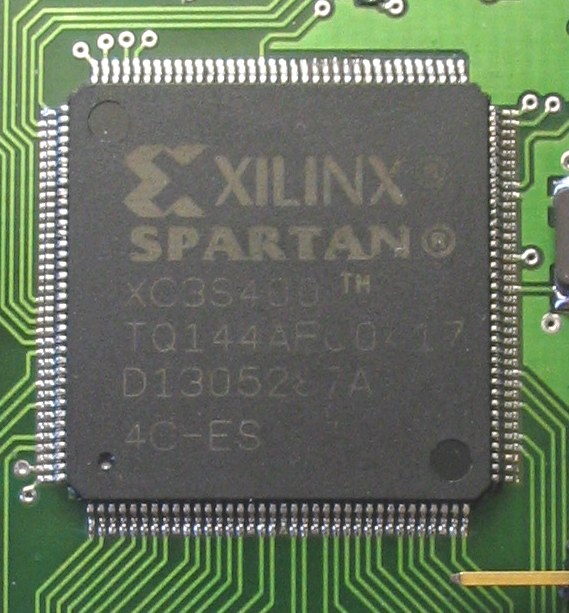
Carlitos 1, Xilinx 0

Xilinx Spartan

Xilinx Spartan

I spent countless hours trying to install the free version of the Xilinx software on may windoze Virtual machine and I have finally succeed.

I must say that although I have never used Xilinx ISE Webpack, I already hate it. It come in a huge installation archive (2.7 GB) and an equally huge update archive (2.4 GB). The option to use the “slim” installer (88 MB) is worthless since there is no ways of saving the required files for an eventual reinstallation (which was needed twice in my case).

Anyway, after installing/uninstalling/installing many times I finally got it to work. And this very lengthy and painful process reminded me why the Open Source world is so much more convenient. Installing a full linux distribution with tons of extra programs takes half the required storage and a third of the time. Too bad FPGA programming tools are ruled by the chip manufacturers.

All this painful process was required in order to get my new NanoBoard 3000 running. Hopefully I wont have to use Xilinx ISE anytime soon. Altium Designer was much easier to install and requires less storage.

I am the luckiest Engineer ever

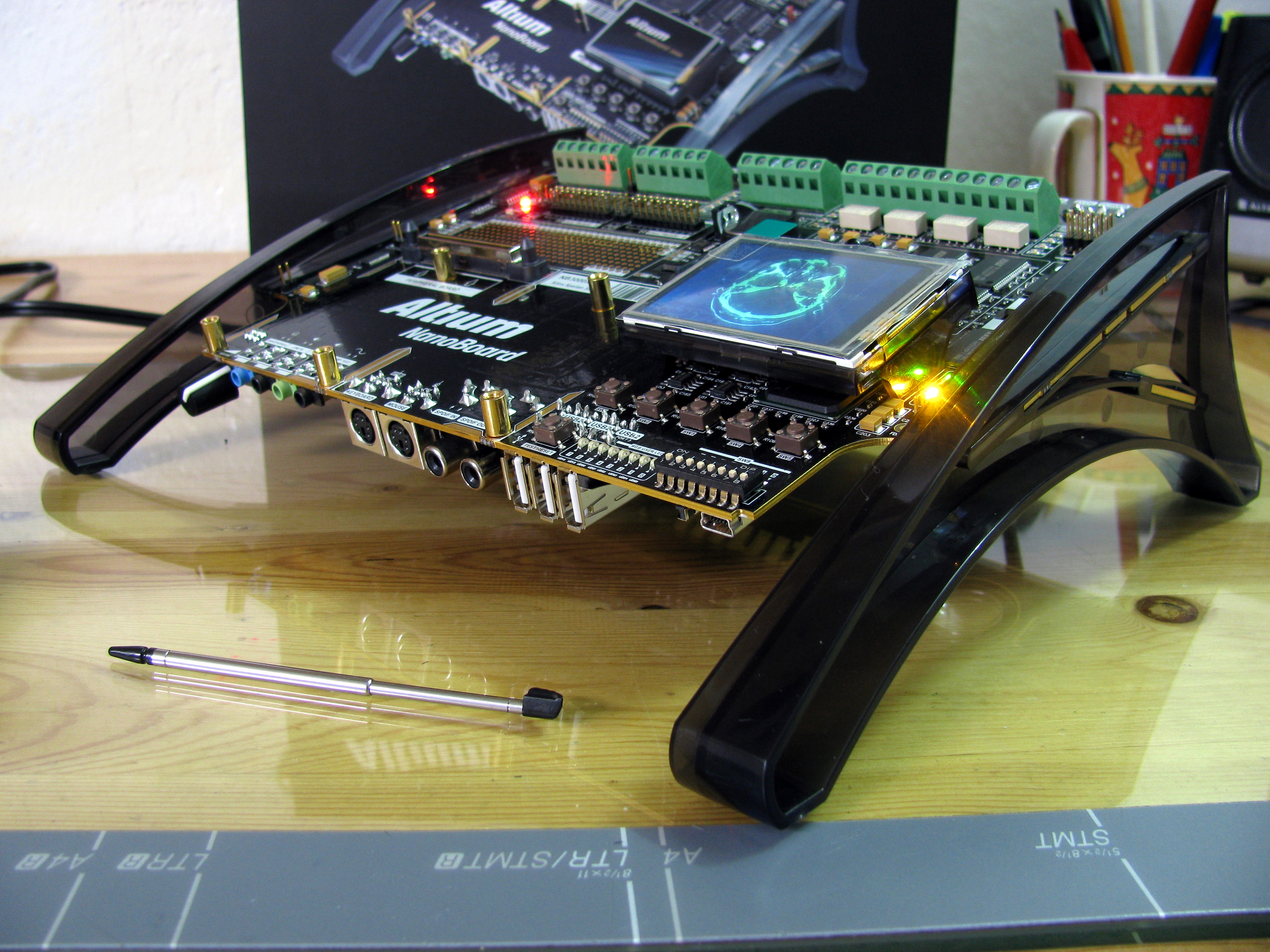
A few weeks ago, I received a very pleasant message: Altium, an FPGA development board manufacturer and IDE developer, contacted me asking If I wanted to try the (excessively cool) brand new development board (the NanoBoard 3000) for free. Of course, I immediately (and quite emphatically) said YES.

The Altium NanoBoard 3000

The Altium NanoBoard 3000

Now that I got it, I’m dying to have some spear time in order to try out their awesome board with their quite intriguing IDE.

About the Hardware

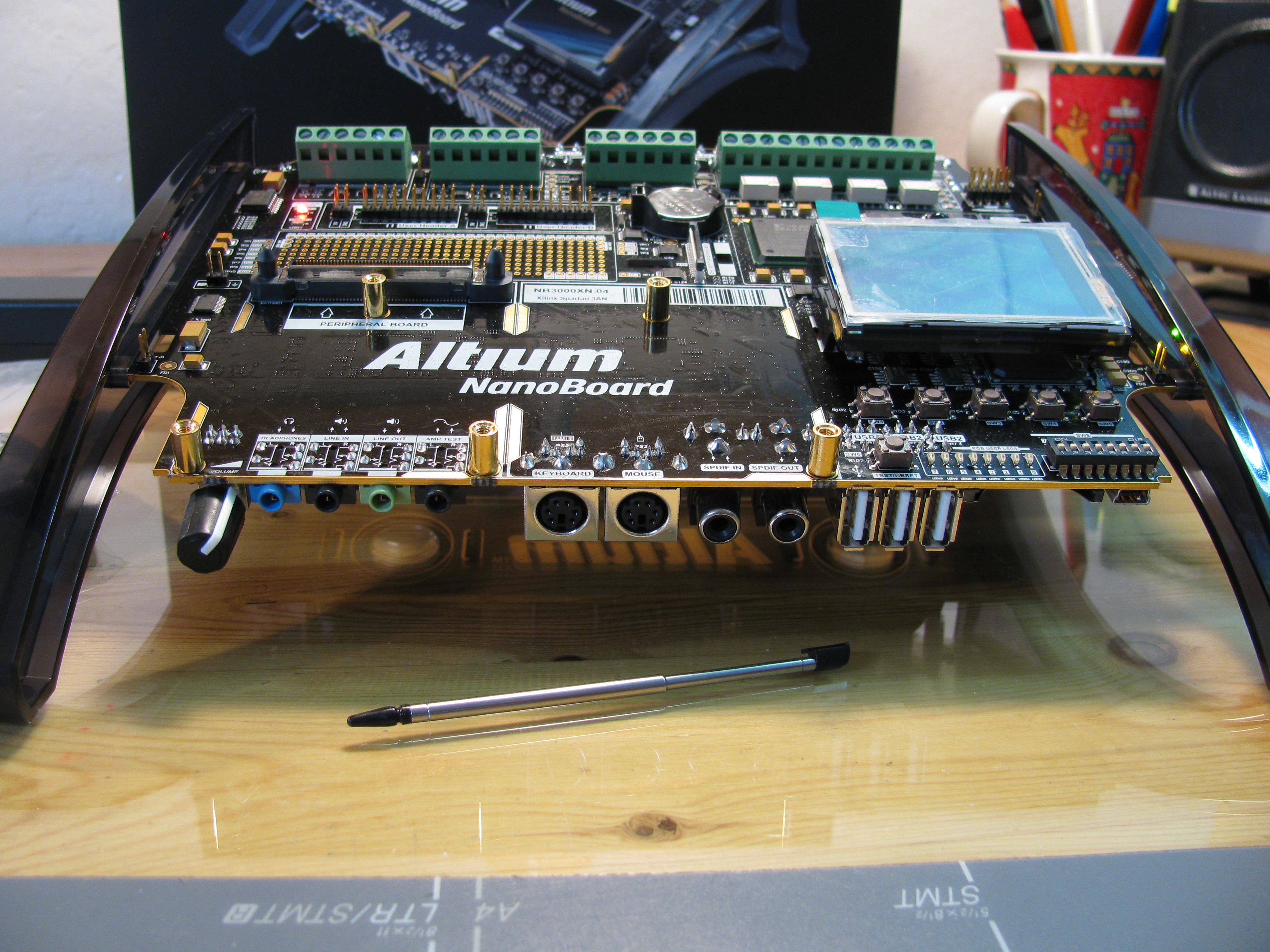
The NanoBoard 3000 is a beautiful piece of equipment. It boasts lots of cool peripherals and is built and packed as a luxury electronics product. It is a very good looking piece of equipment while remaining perfectly functional, it beats by far all the other development boards I am familiar with (i.e. the Altera DE2 board and the Lattice Mico32 development board) while remaining much cheaper (around 50% of their price).

NanoBoard 3000 Unboxing

NanoBoard 3000 Unboxing

Features

Here is a selection of the NanoBoard’s features from Altium’s Wiki I find most prominent:

  • A Xilinx Spartan-3AN device (XC3S1400AN-4FGG676C)

    Nanoboard 3000 Front

    Nanoboard 3000 Front

  • 4 Serial SPI Flash memory devices
  • Programmable clock 6 to 200 MHz, accessible by Altium Designer or by an FPGA design
  • SPI Real-Time Clock with 3V battery backup
  • Adjustable voltage regulators set to generate 1.2V, 1.8V, 2.5V and 3.3V power
  • 256K x 32-bit common-bus SRAM (1MB)
  • 16M x 32-bit common-bus SDRAM (64MB)
  • 8M x 16-bit common-bus 3.0V Page Mode Flash memory (16MB)
  • Dual 256K x 16-bit independent SRAM (512KB each)
  • 256K x 16-bit independent SRAM (512KB)
  • 8 RGB LEDS
  • 5 generic push-button switches
  • 4-channel 8-bit ADC, SPI-compatible
  • 4-channel 8-bit DAC, SPI-compatible
  • 4x isolated IM Relay channels
  • 4x PWM power drivers
  • Screw terminal headers for ADC/DAC/Relay/PWM interfaces
  • SD (Secure Digital) card readers:
    • One for use by the Host Controller FPGA
    • One for use by the User FPGA
  • SVGA interface (24-bit, 80MHz)

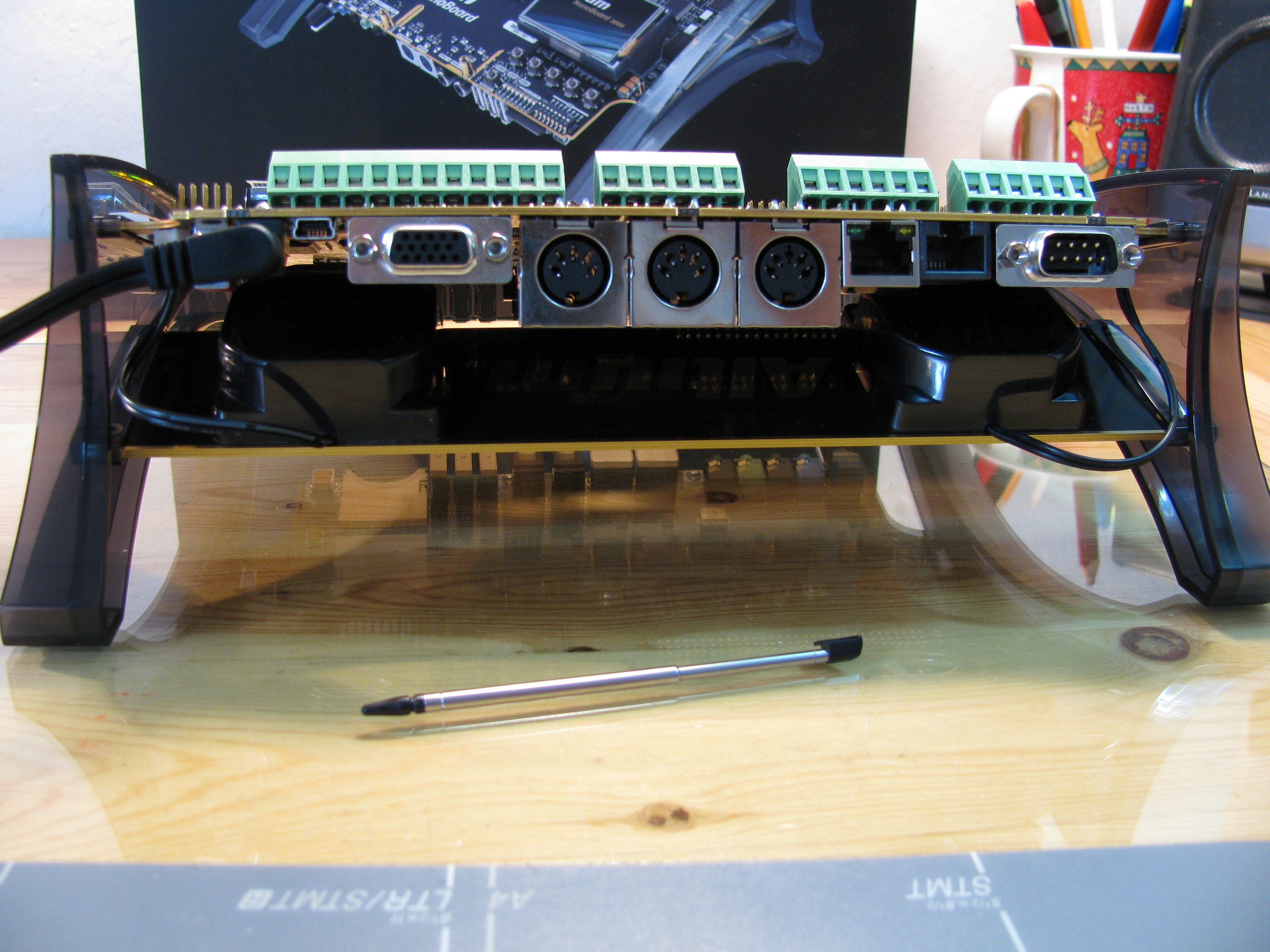
    NanoBoard 3000 Back

    NanoBoard 3000 Back

  • 10/100 Fast Ethernet interface
  • USB 2.0 High-Speed interface
  • RS-232 Serial Port – DB9M
  • RS-485 Serial Port – ‘RJ45′
  • 240 x 320 TFT LCD with touch screen
  • 8-way DIP-switch
  • Stereo 2W audio power amplifier with 3.5mm test input jack and DC volume control
  • 24-bit Stereo Audio CODEC with I2S-compatible interface
  • Stereo audio jacks (3.5mm):
    • Line In / Line Out
    • Headphones
  • Speakers on a separate (attached) board
  • MIDI interface
  • Diagnostics interface – PCI Express (PCIe) edge connector for connection of automated test equipment (ATE)
  • 1.8″ ATA/IDE connector providing access to user LED and generic switch I/O
  • Remote Control and IR interface.

I should post some further details and perhaps even a simple test project soon (as soon as I get Altium Designer and Xilinx ISE installed and running)

Panoramic Camera - Prototype

Update:

Read the follow up posts: Panoramaker, where I expose the software, and Automatic Panoramas in Montreal, where the final result can be seen.

I have finally completed my second project sponsored by RobotShop. I apologize for the immense delay, I really missed my promise of rolling out a new project every two weeks. Let’s just say that I had a lot going on lately and I could barely keep up with my obligations, let alone blogging or building new projects.

Place Ville Marie Panorama

Place Ville-Marie Panorama

This time, I built a panoramic camera. My main objective was to have a platform that can be used with pretty much any camera and that can produce panoramas with a minimum of work. If there is enough interest from the public and if this prototype is well received by the DIY community, I’m planning to produce (and hopefully sell) kits that would include all the parts to build this device.

Materials

  • Hitec HS-785HB Winch Servo Motor
  • ServoCity SPT200 Direct Drive Pan & Tilt System
  • Pololu Micro Serial 8 Servo Controller
  • Hitec HS-425BB Servo Motor
  • A digital camera
  • Small plastic container
  • Battery holders
  • (Rechargeable) Batteries
  • A piece of aluminum (I used an old heat sink)
  • A long nut (of the same size as a tripod screw)
  • A screw (that fits into the tripod attachment on the camera)
  • A tripod
  • Cable ties
  • A small piece of neoprene (or any other mushy substance)
  • A USB to Serial cable
  • Some female headers and wires

Putting It Together

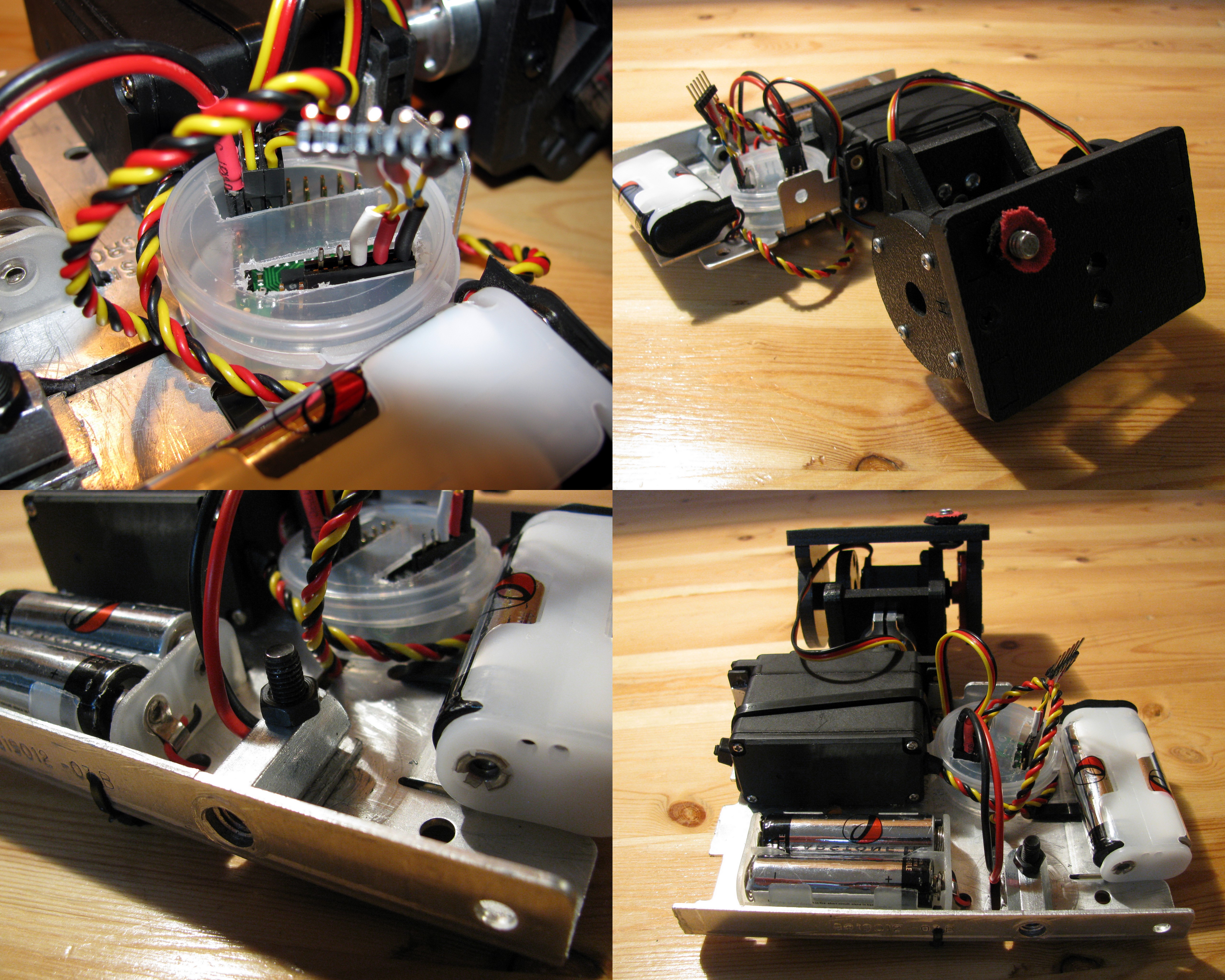
Panoramic Camera Mount

Panoramic Camera Mount

The first step was to put together the ServoCity Pan and Tilt system. This took away much of the building work since it is really simple to put together in no time at all. Nevertheless, I applied some modifications to it: I discarded the bottom plate that should be attached to the panning servo (since I am using a larger winch servo that would not fit otherwise), and I drilled a hole on the top plate in order to be able to fasten the camera to the rig. Note that I also included a little piece of neoprene that was lying around in order to prevent the bottom of my camera from getting scratched.

The mounting hole for the camera must be placed so that the lens’ pupil is at the centre of rotation. This way, the horizontal rotation axis will be close to the no-parallax-error point (or whatever it is called) of the camera and will minimize the parallax errors.

Then, I used an old heat sink as the main structure since it is sturdy and basically free. I used the trusty Dremel to adapt it and cut the proper holes and slots in order to mount all the remaining pieces. The pieces to be mounted on the aluminum plate are the battery holders, the Pololu servo controller, and the winch servo motor. (or whatever it is called

I encapsulated the Pololu servo controller in a small plastic container I got from for free while on a trip with my girlfriend to the beauty/ soap/cream shop. I also used two 2-AA battery holders in order to provide power for the servo motors. I used 29000 mAh NiMH rechargeable batteries that gave me several hours of autonomy. In order to connect the battery holders to the controller, I soldered a two-position female header and insulated the leads with heat-shrink tubing.

I used almost exclusively cable ties to tie everything on the aluminum plate except for the winch servo motor that I screwed in and the long nut that was also screwed in place (after being drilled sideways). I also had to drill the bottom aluminum face in order to allow for the tripod screw to be inserted into the nut.

Operating it

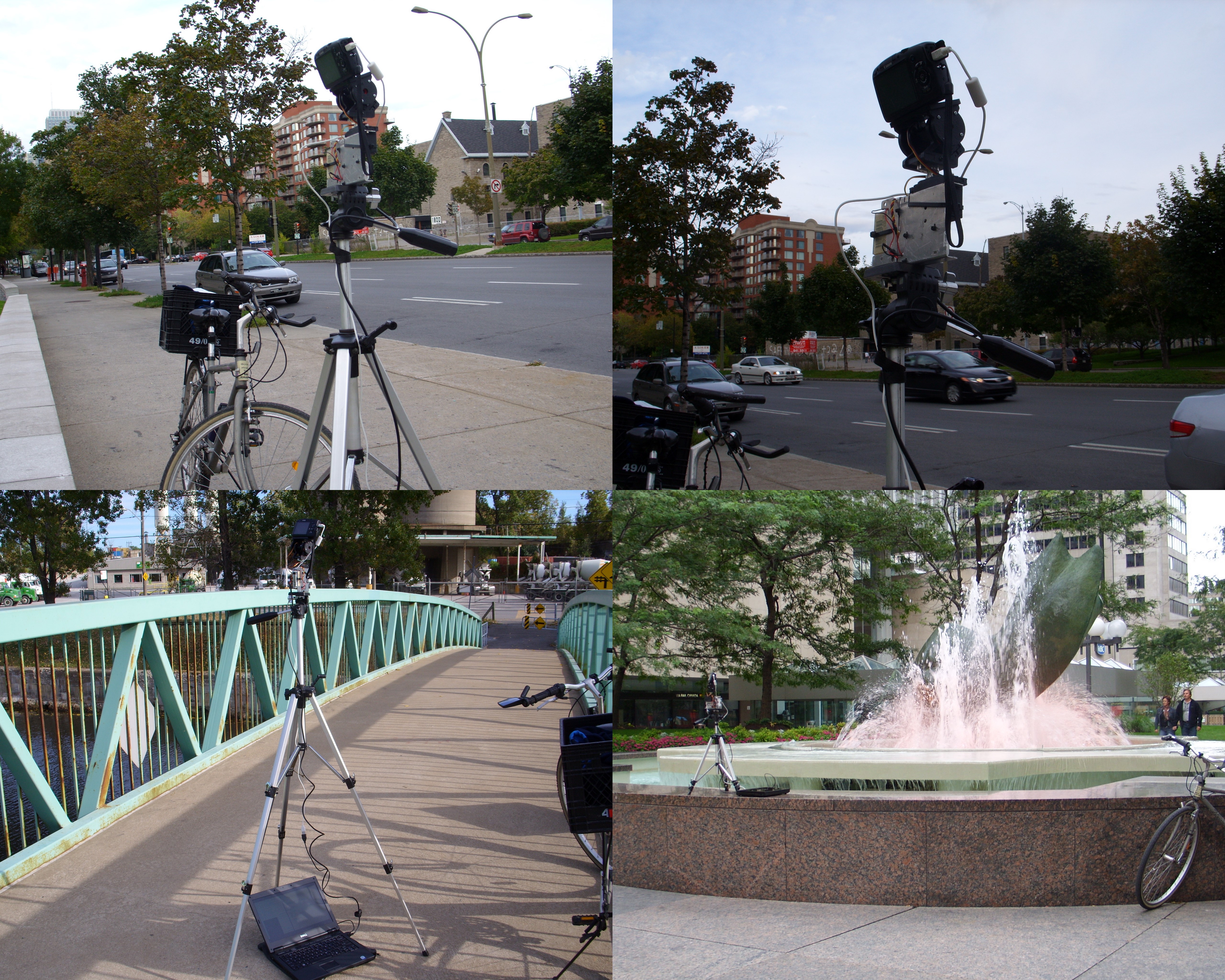
Panoramic camera in action

Panoramic camera in action

This first prototype requires a laptop to be operated, which can be a little annoying. I plan to use my EeePC in the immediate future and an embedded computer for an eventual commercial kit. It basically works as follows:

  1. The camera is set on the panoramic mount, which is fastened to the tripod.
  2. The servo controller and the camera are connected to the computer trough their respective USB cables.
  3. The controlling program is run.
  4. The user waits in awe while the camera takes pictures by itself.

In order to control the hardware, I use a python script that uses my Pololu library and gPhoto in order to operate the servos and the camera respectively. I chose gPhoto since it supports a very wide range of cameras and it is very easy to use.

For now, taking a full 360 panorama takes about 15 minutes. This is a very long time and is mostly due to the fact that my script was hastily put together without care about the performance and in very little time. I will, very soon, post a cleaner version of the code, as well as all the panoramas I took properly processes and in full format, similarly to what I did with my San Francisco panoramas.

Acknowledgements

RobotShop.com

RobotShop.com

I would like to thank the great people at RobotShop for providing the Pololu Micro Serial Servo Controller, the ServoCity SPT200 Direct Drive Pan & Tilt System, and the Hitec HS-785HB Winch Servo Motor. This is the second (and hopefully not the last) project they sponsor here at Carlitos’ Contraptions. Without their help, I would have never been able to afford any of the materials (except for those that come straight from the garbage as usual).

They have also being very patient and understanding about my unexpected delay in rolling out this project.

http://carlitoscontraptions.com/2009/05/making-panoramas/

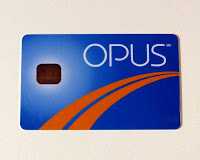
Opus Smart Card

The Opus card is pretty much like an onion
~ Oscar Wilde

Here in Montreal, the public transportation system (STM) started to use a new system for paying the fares: a smartcard.

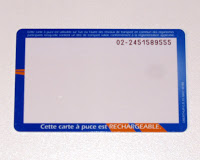
This smartcard is called Opus and features contactless communication as well as regular metal pads (like those on telephone cards). This card can be recharged with various tickets, month passes, week passes, etc. More info on it can be found in its very own wiki page.

Ever since it came out, I wanted to hack it and learn more about it. By searching a bit on the net, I found out that it is similar to other smart cards being used elsewhere in the world and this allowed me to learn some interesting things.

Similarly to the Hong Kong version of the system, the reader has a security feature that avoids writing to more than one card at the time. Let me explain: if you try to add fares to many cards at the same time (on the paying machine that features a contactless reader) by placing them on the reader, only the first one will get loaded with fares. This means that the cards are more than a simple memory, they feature a more complex and almost certainly encrypted communication system.

Also, each card has its own identification number.

Observations on the card behaviour:

  • Cards loaded with a monthly pass will make the the readers shine a green light (or yellow for students) during the given month and grant access.
  • Cards loaded with tickets will make the reader say that one ticket has been used, shine a green light and grant access (same behaviour as with alternative magnetic band tickets). The ticket is then spent.
  • If the card with a ticket is read again within two hours of spending a ticket, the reader will shine a green light and grant access without spending another ticket. The readers also displays a message acknowledging this.
  • The process of loading a card with new fares takes around two seconds after the payment has been performed. While the card is being loaded, a yellow progress bar is shown. This means that writing to the card is a slow operation and cannot be performed on the fly while passing the card by the reader when entering the bus, for instance.
  • It is unlikely that the readers in the buses are connected in a network with all metro stations and themselves.

How I think the card works:

  1. The card is put next to the reader which provides it with power (same as any contact less communication)
  2. The reader sends the current time to the card.
  3. The card checks if it can grant access to the transportation at the given time.
    1. If it has a month pass, the card only worries to see if the month is write.
    2. If it has a ticket it stores the time and spends a ticket.
    3. If it has spent the ticket in the previous two hours it does not decrement the ticket count
  4. In all the previous cases, the card sends the instruction to the reader to grant access and tells it what kind of message/light it should show.
  5. If the card does not have tickets or month passes or transfers (a ticket spent in the last two hours) it less the reader so and the reader does not grant access.

If this card is any similar to the ones in other countries, all the communication between the reader and the card are encrypted. The encryption may be symmetrical which means that there is a secret key shared by all the readers and the cards.

Also, at some point, the card may send its unique ID number to the reader.


Some extra info:
I also wanted to see how the card is built, and the easiest way of doing so is to disassemble it.

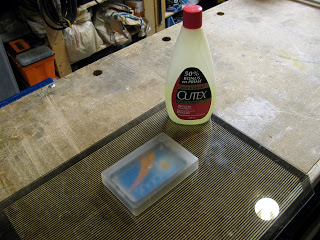
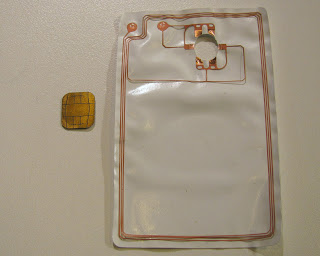
Since it is made out of plastic, I put it to rest in a bath of acetone (nail polish remover) for a bit less than a day while periodically checking how it was doing. I poured the acetone in a old iPod metal casing since it has almost the same size as the card.

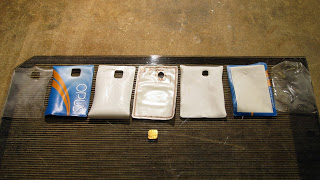
In the end I found out that the card is made up of several layers. This layers are very thin (or so are they after being soaked in acetone for 20 hours) but very sturdy.

The middle layer contains the antenna and contact pads in order to be connected to the microprocessor. The chip is merely sitting on the pads, this may explain why the cards are so prone to break: when it is bent, the pads do not touch the antenna any more and the the card becomes inactive.

Note that the dissolved plastic in acetone really stinks on the fingers when you manipulate the dissolved card and it is really a pain to clean.

Return top

Welcome!

Here you will find my DIY projects, Robotic hacks, Nao 1337 videos, and more! Have questions about a project? Leave a comment!