Update:
Read the follow up posts: Panoramaker, where I expose the software, and Automatic Panoramas in Montreal, where the final result can be seen.
I have finally completed my second project sponsored by RobotShop. I apologize for the immense delay, I really missed my promise of rolling out a new project every two weeks. Let’s just say that I had a lot going on lately and I could barely keep up with my obligations, let alone blogging or building new projects.
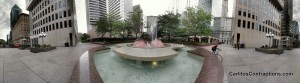
Place Ville-Marie Panorama
This time, I built a panoramic camera. My main objective was to have a platform that can be used with pretty much any camera and that can produce panoramas with a minimum of work. If there is enough interest from the public and if this prototype is well received by the DIY community, I’m planning to produce (and hopefully sell) kits that would include all the parts to build this device.
Materials
- Hitec HS-785HB Winch Servo Motor
- ServoCity SPT200 Direct Drive Pan & Tilt System
- Pololu Micro Serial 8 Servo Controller
- Hitec HS-425BB Servo Motor
- A digital camera
- Small plastic container
- Battery holders
- (Rechargeable) Batteries
- A piece of aluminum (I used an old heat sink)
- A long nut (of the same size as a tripod screw)
- A screw (that fits into the tripod attachment on the camera)
- A tripod
- Cable ties
- A small piece of neoprene (or any other mushy substance)
- A USB to Serial cable
- Some female headers and wires
Putting It Together
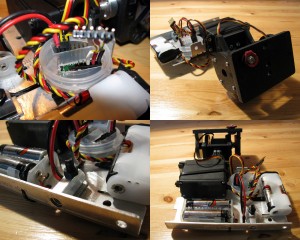
Panoramic Camera Mount
The first step was to put together the ServoCity Pan and Tilt system. This took away much of the building work since it is really simple to put together in no time at all. Nevertheless, I applied some modifications to it: I discarded the bottom plate that should be attached to the panning servo (since I am using a larger winch servo that would not fit otherwise), and I drilled a hole on the top plate in order to be able to fasten the camera to the rig. Note that I also included a little piece of neoprene that was lying around in order to prevent the bottom of my camera from getting scratched.
The mounting hole for the camera must be placed so that the lens’ pupil is at the centre of rotation. This way, the horizontal rotation axis will be close to the no-parallax-error point (or whatever it is called) of the camera and will minimize the parallax errors.
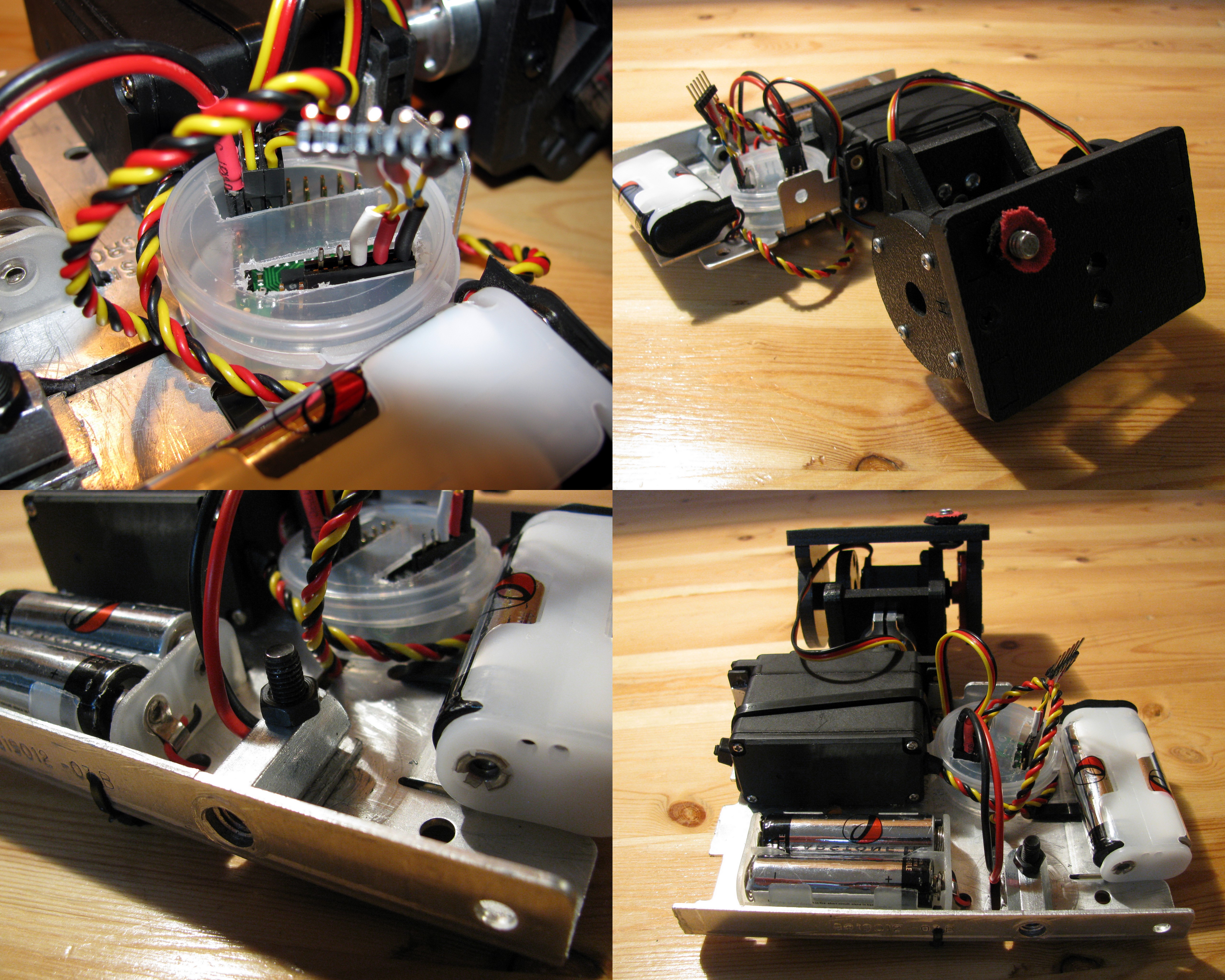
Then, I used an old heat sink as the main structure since it is sturdy and basically free. I used the trusty Dremel to adapt it and cut the proper holes and slots in order to mount all the remaining pieces. The pieces to be mounted on the aluminum plate are the battery holders, the Pololu servo controller, and the winch servo motor. (or whatever it is called
I encapsulated the Pololu servo controller in a small plastic container I got from for free while on a trip with my girlfriend to the beauty/ soap/cream shop. I also used two 2-AA battery holders in order to provide power for the servo motors. I used 29000 mAh NiMH rechargeable batteries that gave me several hours of autonomy. In order to connect the battery holders to the controller, I soldered a two-position female header and insulated the leads with heat-shrink tubing.
I used almost exclusively cable ties to tie everything on the aluminum plate except for the winch servo motor that I screwed in and the long nut that was also screwed in place (after being drilled sideways). I also had to drill the bottom aluminum face in order to allow for the tripod screw to be inserted into the nut.
Operating it
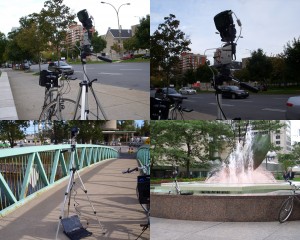
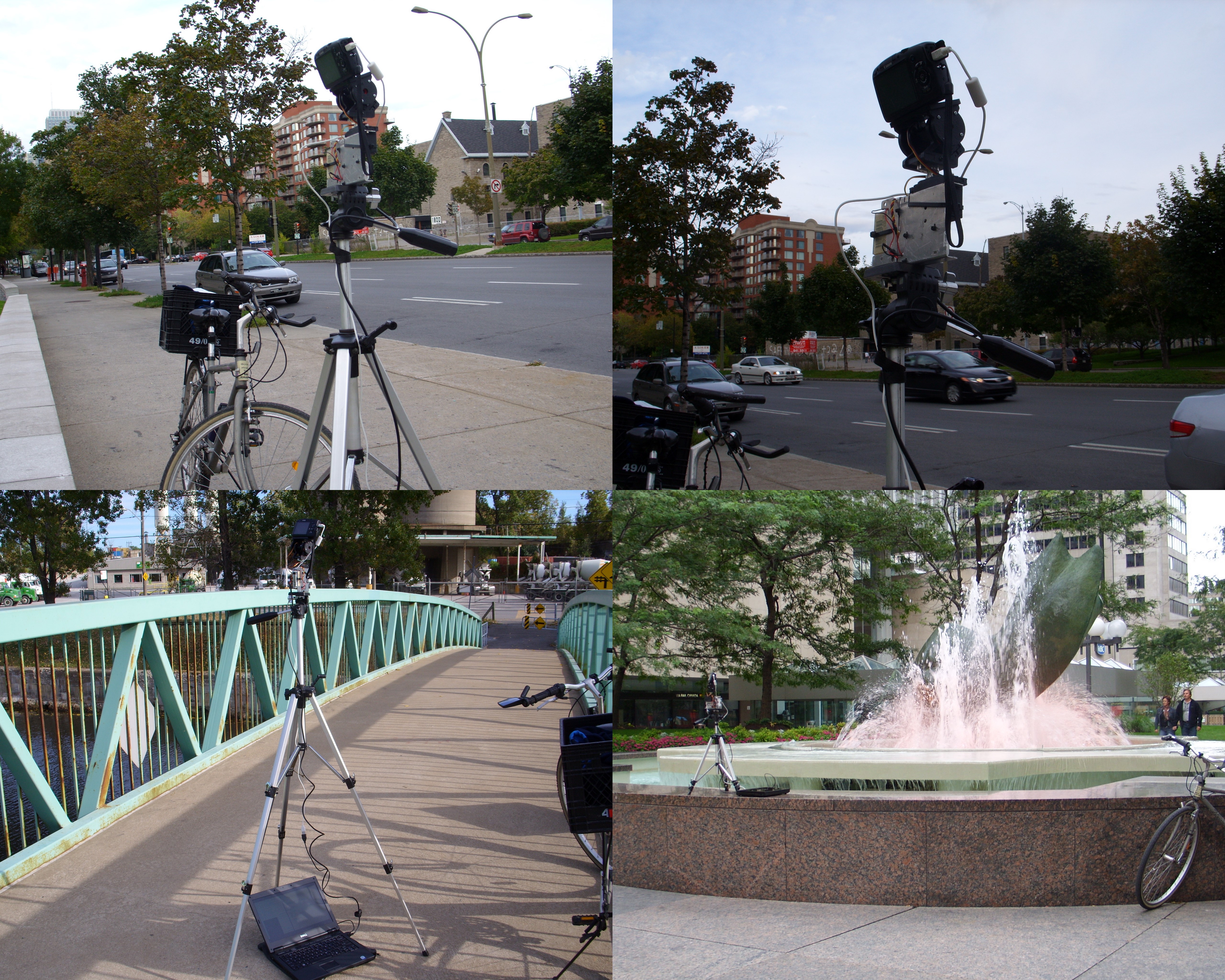
Panoramic camera in action
This first prototype requires a laptop to be operated, which can be a little annoying. I plan to use my EeePC in the immediate future and an embedded computer for an eventual commercial kit. It basically works as follows:
- The camera is set on the panoramic mount, which is fastened to the tripod.
- The servo controller and the camera are connected to the computer trough their respective USB cables.
- The controlling program is run.
- The user waits in awe while the camera takes pictures by itself.
In order to control the hardware, I use a python script that uses my Pololu library and gPhoto in order to operate the servos and the camera respectively. I chose gPhoto since it supports a very wide range of cameras and it is very easy to use.
For now, taking a full 360 panorama takes about 15 minutes. This is a very long time and is mostly due to the fact that my script was hastily put together without care about the performance and in very little time. I will, very soon, post a cleaner version of the code, as well as all the panoramas I took properly processes and in full format, similarly to what I did with my San Francisco panoramas.
Acknowledgements

RobotShop.com
I would like to thank the great people at RobotShop for providing the Pololu Micro Serial Servo Controller, the ServoCity SPT200 Direct Drive Pan & Tilt System, and the Hitec HS-785HB Winch Servo Motor. This is the second (and hopefully not the last) project they sponsor here at Carlitos’ Contraptions. Without their help, I would have never been able to afford any of the materials (except for those that come straight from the garbage as usual).
They have also being very patient and understanding about my unexpected delay in rolling out this project.
http://carlitoscontraptions.com/2009/05/making-panoramas/