Big Pot

December 16th, 2008 No comments

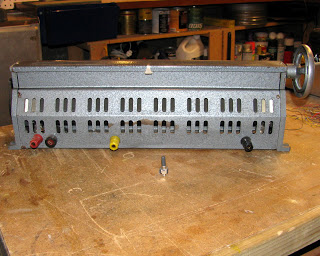
I found a big potentiometer in McGill’s garbage (universities’ garbage is pretty good). When I found it, it was very dirty and its body was badly bent. Fortunately, I managed to put it back together and now it is shiny and fully functional (as shiny and functional as a pot can be).

Some Specs:
It is a 400 Ohms potentiometer made out of an array of thin metal hexagons and a contact point that moves along them. The number of hexagons in between one end of the array and the moving contact is proportional to the potentiometer’s resistance. It is roughly 50 cm long and I bet it can handle lots of current.

Share and Enjoy:
  • Digg
  • StumbleUpon
  • Reddit
  • Twitter
  • Facebook
  • del.icio.us
  • Google Bookmarks
  • Print
Categories: Tools Tags:

Basement Cleanup

December 16th, 2008 1 comment

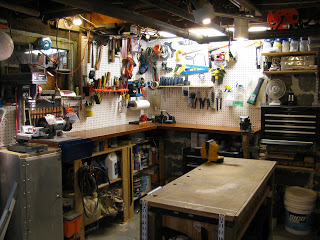
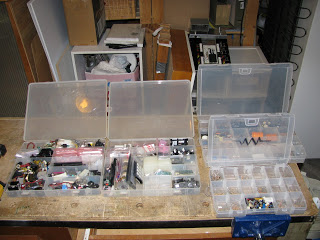
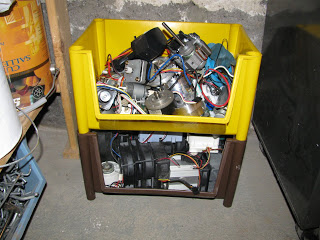
I finally cleaned up my basement/workshop and put some order into my tools and materials. My main source for materials in general is the garbage as the faithful readers may already know. Too bad I was too late for the Hacked Gadgets Workbench Contest.

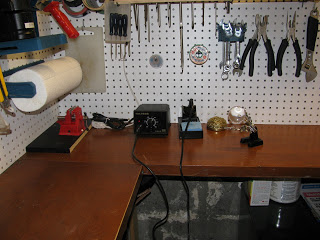
My new soldering space

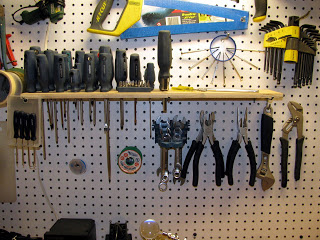
I also got some new tools a while ago. Note the precision screw driver holder made out of a plastic jar cap and the screw driver stand made out of a piece of wood I found in the garbage.

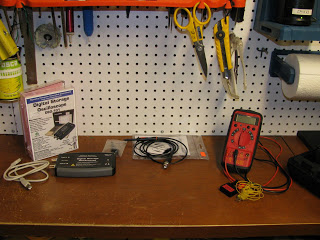
I also got some new measuring tools that are extremely useful (and make me extremely happy).

Some of my electronics parts:

Share and Enjoy:
  • Digg
  • StumbleUpon
  • Reddit
  • Twitter
  • Facebook
  • del.icio.us
  • Google Bookmarks
  • Print
Categories: General, Tools Tags:

Brass Sponge

December 16th, 2008 3 comments

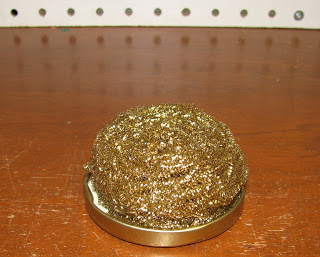
I came around many electronics stores selling brass sponges as soldering iron tip cleaners. I thought that using a brass sponge was a good idea but was not ready to pay between 5$ and 12$ for a sponge. Instead, I got two brass sponges at the groceries store for around 1.9$ and used an old metal cover from a jam jar to make my own. The result is a very useful soldering sponge.

If you are wondering what are the advantages with respect to the more conventional wet sponge, I can enumerate three:

  1. It does not inflict such a great thermal shock on the iron tip. Thus, putting it trough less stress.
  2. It does not produce fumes since the tip temperature doesn’t change as much and there is no water vapour.
  3. It does not require water. Having water around electronics can sometimes be a bit of a hazard.
Share and Enjoy:
  • Digg
  • StumbleUpon
  • Reddit
  • Twitter
  • Facebook
  • del.icio.us
  • Google Bookmarks
  • Print
Categories: Tools Tags:

Tony’s LEDs

October 31st, 2008 2 comments

I received many questions about the circuits driving the LEDs in many of my projects, especially for the Iron Man’s repulsor.

LEDs are pretty neat devices. You make some current flow forward through it and you get some light as a result. Nevertheless, since they are diodes, they can allow an infinite amount of current to flow (which in practice means a lot of current) and this can be problematic since, as any electrical device, it cannot handle that much current. In order to prevent them to pass too much current, a current limiting circuit is required (usually implemented as a resistor in series).

When you buy an LED, you (should) get two very important parameters, the voltage drop across them (say, V_LED), and the maximum continuous current (I_LED).

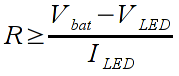
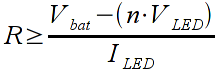
So, for the trivial case where we have a battery (V_bat) in series with a resistor (R) and an LED, the value of R must obey the following inequation:

If you decide to place many (say, n) LEDs in series, the inequation becomes:

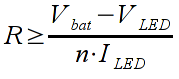
Finally, if the LEDs are in parallel (as is the case for the repulsor), the inequation becomes:

This result can be obtained by applying Ohm’s law (V= RI) to the circuits described above. The proof is of course let as an exercise for the reader ;) .
This page has a very nice LED calculator which makes life really easy when calculating resistor values: alan-parekh.com/led_resistor_calculator.html

WARNING: the repulsor circuit may cause the LEDs to fail sooner or later. I’ll post an update as soon as I have one. Thanks to Tim for the hint.

For those interested in the repulsor circuit, below you can find a diagram describing it. It is the same as the circuit with many LEDs in parallel but with a potentiometer added to regulate the light intensity. The only requisite for the potentiometer is to be large enough to attain the dimmest light according to your needs.

Share and Enjoy:
  • Digg
  • StumbleUpon
  • Reddit
  • Twitter
  • Facebook
  • del.icio.us
  • Google Bookmarks
  • Print
Categories: Project Tags:

Eee PC 1000 + Ubuntu + KDE 4.1

September 1st, 2008 10 comments

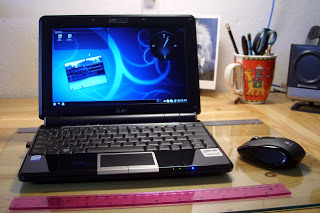
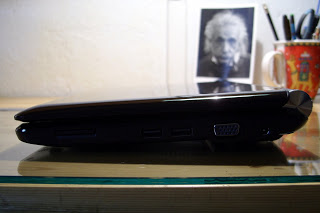
My computer finally died. After close to ten years of faithful service, my computer catastrophically failed one last time (this doesn’t necessarily mean I won’t try to fix it). Anyways, this pushed me to finally buy another computer after many years of searching around.

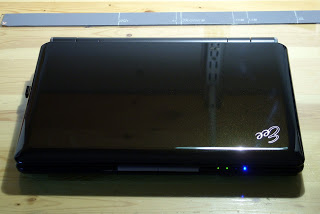
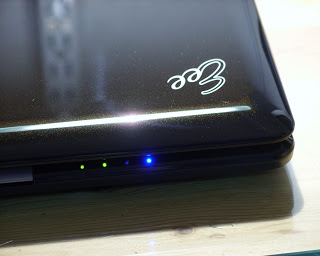
I chose to buy an Asus Eee PC 1000; I could not be happier with my buy.

The obligatory Eee PC specs:

  • 1.6 GH Intel Atom CPU
  • 1 GB RAM
  • 40 GB SDD (8 + 32)
  • 10 in LCD
  • SDD card reader
  • Multi-touch touchpad
  • Shiny black body
  • WiFi draft n

The solid storage is great. It gives the peace of mind that I require to be able to take the laptop everywhere on my bike or in my backpack (I jump around a lot). I have currently formatted both disks with ext3 partitions mounted with the realtime option. I know about the life expectancy concerns but I have not found any reference that says that my SDD drives will die prematurely if I use the ext3 filesystem instead of ext2. Also, the ext3 filesystem is more robust and it doesn’t corrupt files if it is not checked often or if the computer is turned off abruptly.

I installed Kubuntu by creating a live USB stick using UNetbootin and then setting the USB stick as the primary device in the BIOS. The Eee PC then boots with the USB key and Kubuntu can be installed normally. For more info about installing Ubuntu please refer to this page.

In order to have the WiFi adapter and the wired Network card working, I used the kernel packages from Array.org.

The battery life is awesome. It is much longer than in conventional laptops, even with the processor working at full speed, the LCD at full brightness and the WiFi adapter enabled. Also, the keyboard is very nice and not too small. It is really easy to get used to it. For more info about the Eee PC performance, please watch the following video:

The touchpad is very good and the multitouch feature works very well. It is hard to go back to normal touchpads. Nevertheless, a mouse is much faster and precise, so I decided to buy a mouse: the Logitech VX Nano.
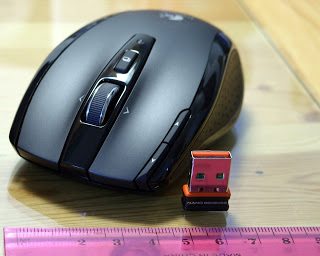
Needless to say, the VX Nano is wonderful and a perfect match for the Eee PC. They have both been carefully designed with particular attention to detail and quality. They come with carrying cases and are very sturdy and good looking.

It is obvious that I’m happy with my two new toys.

Finally, KDE 4.1 is simply perfect. It is beautiful, fast, and very well thought. In short: the perfect software for the perfect hardware.
Share and Enjoy:
  • Digg
  • StumbleUpon
  • Reddit
  • Twitter
  • Facebook
  • del.icio.us
  • Google Bookmarks
  • Print
Categories: General Tags: