Archive

Archive for the ‘Robotics’ Category

DIY Universal Robot Gripper

October 31st, 2010 No comments

iRobot and the University of Chicago released a video of their universal robotic gripper. It is basically a gripper that can conform to the shape of seemingly every object. The video below illustrates its capabilities.

The gripper uses the properties of granular materials to become rigid or fluid by applying pressure constraints. Basically, the flexible blue sphere seen in the video is filled with a granular material (ground coffee) and can become solid when a vacuum is applied.

Since this is a rather simple principle, I thought I could quickly do one for myself.

Materials

  • A party balloon (silver in my case)
  • A piece of plastic tubing (I used a hose fitting I had lying around)
  • A piece of cloth
  • Ground coffee (I use some very old coffee I found in my freezer)
  • A rubber band.
  • Functional lungs (unfortunately, my vacuum pump is dead)

How to do it

  1. Fill the balloon with coffee (you might need to put it in a vacuum chamber in order to be able to expand the balloon and thus stuff more coffee in it).
  2. Cover one end of the plastic tubing with the piece of cloth and hold it together with the rubber band. This will be used an an air-permeable filter that will keep the coffee inside the balloon and allow air to circulate.
  3. Insert the plastic tube in the balloon (so the filter is inside the balloon).

Now, you can connect the contraption to a vacuum pump in order to create a vacuum. you can also use your mouth and lungs in order to suck the air out. I had to resort to the latter method since my vacuum pump is broken :’(. I am trying to source a cheap vacuum pump in order to improve the project and make it into a real robotic gripper. Any suggestions are welcome!

The Result

Bellow, you can see my gripper gripping many objects and even pouring water as the original one does. You can also see me operate the gripper by sucking the air out of the balloon.

The Future

As soon as I secure a nice vacuum pump, I will make a second version of the gripper using better materials. Again, any suggestions regarding the pump are welcome.

Share and Enjoy:
  • Digg
  • StumbleUpon
  • Reddit
  • Twitter
  • Facebook
  • del.icio.us
  • Google Bookmarks
  • Print
Categories: Robotics Tags:

Panoramaker

October 4th, 2009 No comments

As promised before, here is the Python script that runs my panoramic camera hardware. It is a very quick prototype and is by no means intended for widespread use since it requires manual calibration. Nevertheless, it might be very useful to those seeking to learn how to position the servos or control a digital camera through Python.

This script requires my Pololu library and includes some codes from here in order to control the camera. Besides the basic requirements of lib_pololu, the script also requires gPhoto. If you are running Linux, you most likely already have it but in case you do not, you can install it through your favourite package manager or by using the console (e.g. for Ubuntu/Debian):

sudo apt-get install gphoto

If you are using some other OS, you can download gPhoto from here.

The Code

Download
# Adding the path to the lib_pololu.py file to your modules path.
# Assuming that the file is at /your/path/to/the/library/lib_pololu.py
import sys
sys.path.append(‘/your/path/to/the/library’)

# Import the lib_pololu module
import lib_pololu

# Import the serial communication and time modules
import serial
import time

# Open serial port
port = serial.Serial(‘/dev/ttyUSB1′)
port.baudrate=2400 #set an appropriate baudrate

# Camera Code (from vmlaker.org)
import os, re
from subprocess import call, Popen, PIPE

def run(command):
    print ‘Running:’, command
    p = Popen(command, shell=True, stdout=PIPE)
    lines = p.stdout.readlines()
    for line in lines:
        print ‘Stdout :’, line,
    return lines
def capture():
    c = ‘gphoto2 -capture-image’
    sout = run(c)
    firstLine = sout[0]
   
    expr = ‘New file is in location (.*?) on the camera’
    comp = re.compile(expr, re.DOTALL)
    path = re.findall(comp, firstLine)[0]
    dir, fname = os.path.split(path)
   
    c = ‘gphoto2 -get-file %s -folder %s’%(fname, dir)
    run(c)
   
    c = ‘gphoto2 -delete-file %s -folder %s’%(fname, dir)
    run(c)
   
    c = ‘gphoto2 -storage-info’
    run(c)

# Calibration Parameters
# These parameters set the limits and reference positions of the rig.
# They have been obtained trough trial and error.
horizontal = 93.5
front = 95.5
back_l = 84.5
back_r = 107
top = 70
bottom = 110

# Create two motors
# There are associated to the panning and tilting motion of the rig.
tilt = lib_pololu.Servo(port, 0, 1150, 4650)
pan = lib_pololu.Servo(port, 1, 1200, 4987)

# Define a capture routine
# This is a simple loop that takes pictures in order to produce a
# 360 deg panorama.
def capture_pano():
   
    # Capture parameters
    steps_h = 16
    steps_v = 4
    step_h = (back_r - back_l)/steps_h
    step_v = (bottom - top)/steps_v
    pos_v = bottom

    while (pos_v >=top):
        tilt.set_pos(pos_v)
        pos_v = pos_v - step_v
        pos_h = back_l
        while(pos_h <= back_r):
            pan.set_pos(pos_h)
            pos_h = pos_h + step_h
            time.sleep(2)
            capture()

# Initialize the motors
tilt.set_pos(horizontal)
pan.set_pos(front)
time.sleep(2)

# Capture the panorama
capture_pano()
 

Again, many thanks to RobotShop who provided the hardware that made this project possible.

Share and Enjoy:
  • Digg
  • StumbleUpon
  • Reddit
  • Twitter
  • Facebook
  • del.icio.us
  • Google Bookmarks
  • Print

Panoramic Camera - Prototype

September 29th, 2009 No comments

Update:

Read the follow up posts: Panoramaker, where I expose the software, and Automatic Panoramas in Montreal, where the final result can be seen.

I have finally completed my second project sponsored by RobotShop. I apologize for the immense delay, I really missed my promise of rolling out a new project every two weeks. Let’s just say that I had a lot going on lately and I could barely keep up with my obligations, let alone blogging or building new projects.

Place Ville Marie Panorama

Place Ville-Marie Panorama

This time, I built a panoramic camera. My main objective was to have a platform that can be used with pretty much any camera and that can produce panoramas with a minimum of work. If there is enough interest from the public and if this prototype is well received by the DIY community, I’m planning to produce (and hopefully sell) kits that would include all the parts to build this device.

Materials

  • Hitec HS-785HB Winch Servo Motor
  • ServoCity SPT200 Direct Drive Pan & Tilt System
  • Pololu Micro Serial 8 Servo Controller
  • Hitec HS-425BB Servo Motor
  • A digital camera
  • Small plastic container
  • Battery holders
  • (Rechargeable) Batteries
  • A piece of aluminum (I used an old heat sink)
  • A long nut (of the same size as a tripod screw)
  • A screw (that fits into the tripod attachment on the camera)
  • A tripod
  • Cable ties
  • A small piece of neoprene (or any other mushy substance)
  • A USB to Serial cable
  • Some female headers and wires

Putting It Together

Panoramic Camera Mount

Panoramic Camera Mount

The first step was to put together the ServoCity Pan and Tilt system. This took away much of the building work since it is really simple to put together in no time at all. Nevertheless, I applied some modifications to it: I discarded the bottom plate that should be attached to the panning servo (since I am using a larger winch servo that would not fit otherwise), and I drilled a hole on the top plate in order to be able to fasten the camera to the rig. Note that I also included a little piece of neoprene that was lying around in order to prevent the bottom of my camera from getting scratched.

The mounting hole for the camera must be placed so that the lens’ pupil is at the centre of rotation. This way, the horizontal rotation axis will be close to the no-parallax-error point (or whatever it is called) of the camera and will minimize the parallax errors.

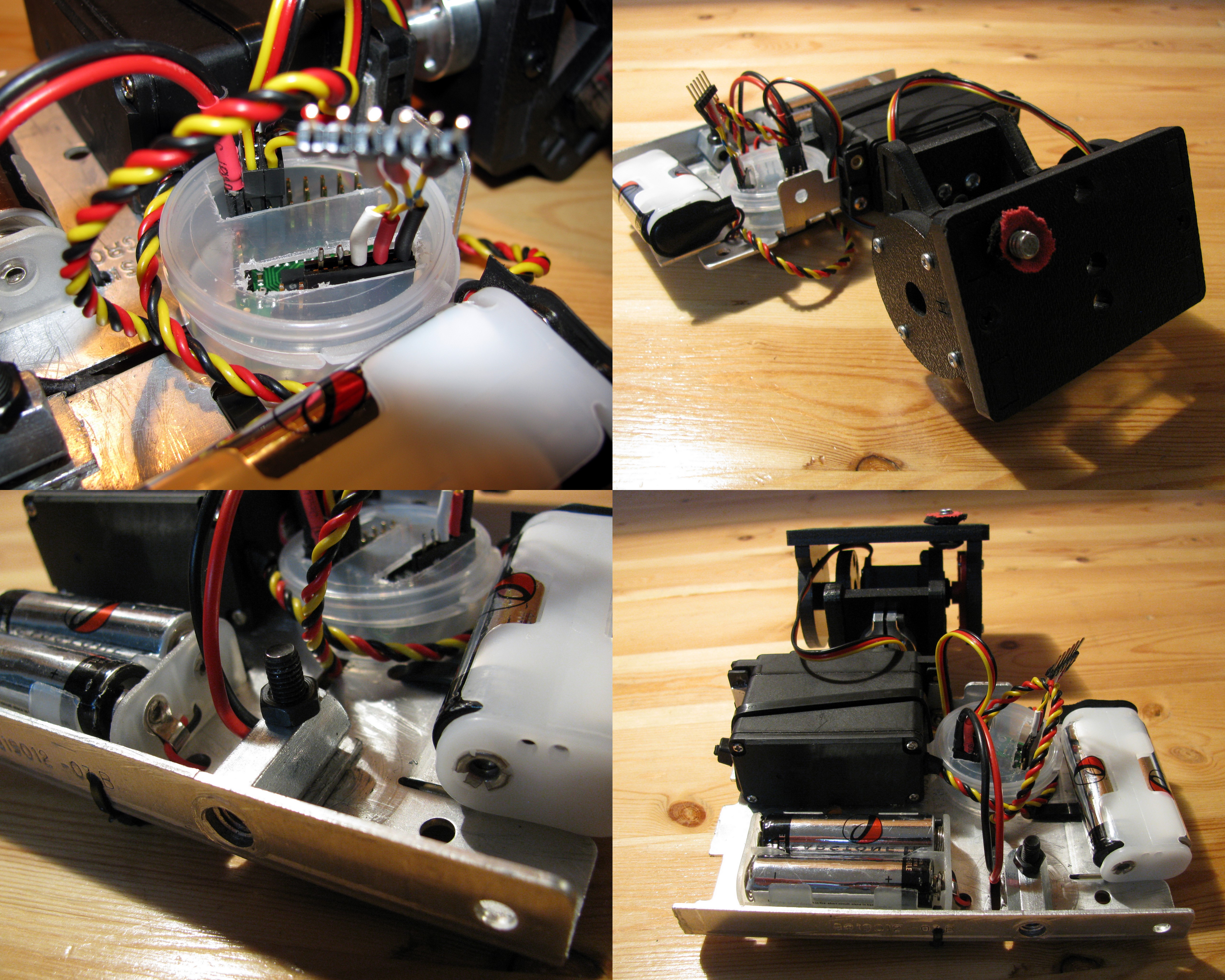
Then, I used an old heat sink as the main structure since it is sturdy and basically free. I used the trusty Dremel to adapt it and cut the proper holes and slots in order to mount all the remaining pieces. The pieces to be mounted on the aluminum plate are the battery holders, the Pololu servo controller, and the winch servo motor. (or whatever it is called

I encapsulated the Pololu servo controller in a small plastic container I got from for free while on a trip with my girlfriend to the beauty/ soap/cream shop. I also used two 2-AA battery holders in order to provide power for the servo motors. I used 29000 mAh NiMH rechargeable batteries that gave me several hours of autonomy. In order to connect the battery holders to the controller, I soldered a two-position female header and insulated the leads with heat-shrink tubing.

I used almost exclusively cable ties to tie everything on the aluminum plate except for the winch servo motor that I screwed in and the long nut that was also screwed in place (after being drilled sideways). I also had to drill the bottom aluminum face in order to allow for the tripod screw to be inserted into the nut.

Operating it

Panoramic camera in action

Panoramic camera in action

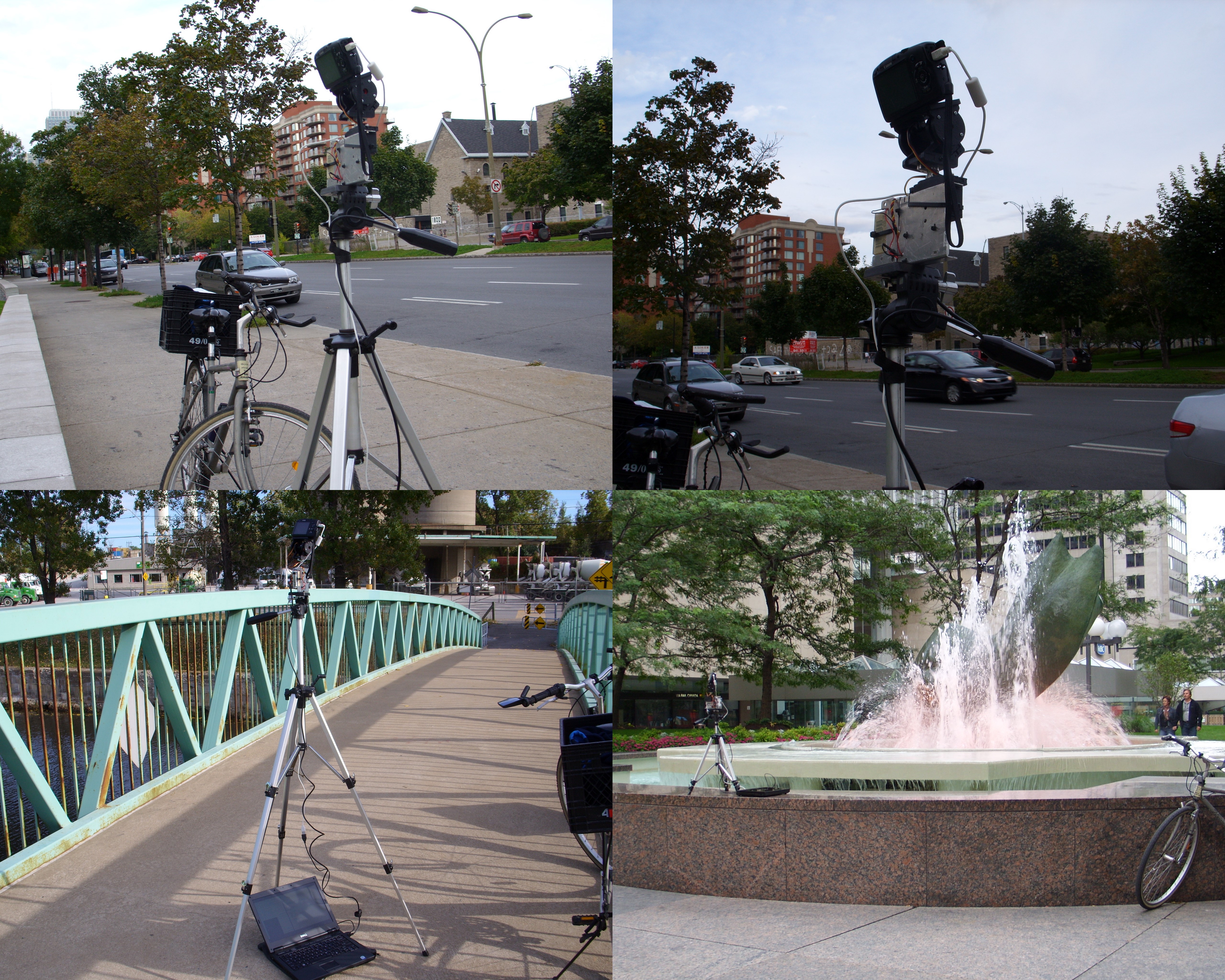
This first prototype requires a laptop to be operated, which can be a little annoying. I plan to use my EeePC in the immediate future and an embedded computer for an eventual commercial kit. It basically works as follows:

  1. The camera is set on the panoramic mount, which is fastened to the tripod.
  2. The servo controller and the camera are connected to the computer trough their respective USB cables.
  3. The controlling program is run.
  4. The user waits in awe while the camera takes pictures by itself.

In order to control the hardware, I use a python script that uses my Pololu library and gPhoto in order to operate the servos and the camera respectively. I chose gPhoto since it supports a very wide range of cameras and it is very easy to use.

For now, taking a full 360 panorama takes about 15 minutes. This is a very long time and is mostly due to the fact that my script was hastily put together without care about the performance and in very little time. I will, very soon, post a cleaner version of the code, as well as all the panoramas I took properly processes and in full format, similarly to what I did with my San Francisco panoramas.

Acknowledgements

RobotShop.com

RobotShop.com

I would like to thank the great people at RobotShop for providing the Pololu Micro Serial Servo Controller, the ServoCity SPT200 Direct Drive Pan & Tilt System, and the Hitec HS-785HB Winch Servo Motor. This is the second (and hopefully not the last) project they sponsor here at Carlitos’ Contraptions. Without their help, I would have never been able to afford any of the materials (except for those that come straight from the garbage as usual).

They have also being very patient and understanding about my unexpected delay in rolling out this project.

http://carlitoscontraptions.com/2009/05/making-panoramas/
Share and Enjoy:
  • Digg
  • StumbleUpon
  • Reddit
  • Twitter
  • Facebook
  • del.icio.us
  • Google Bookmarks
  • Print

Gentle Safe Cracker

July 17th, 2009 42 comments

The problem:

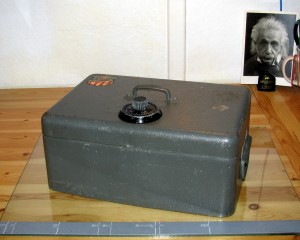
Misterious Safe Box

Mysterious Safe Box

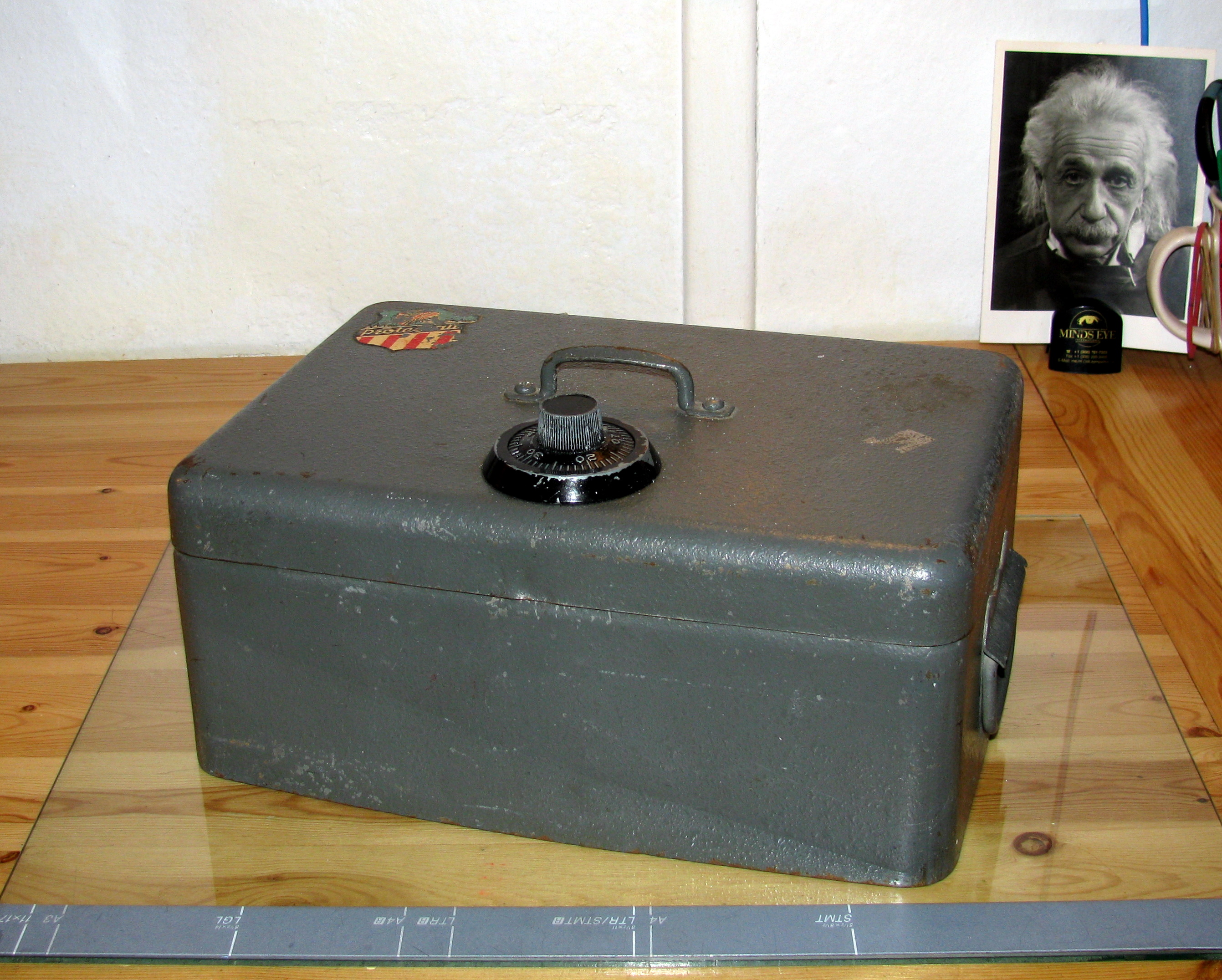
I found a little safe box in the garbage some time ago and I would really like to open it. The box features some dents and scratches that show some people tried to open it in the past but did not succeed. Also, when shaken, it produces some interesting noises that indicate it is not empty and may contain a valuable treasure some cool junk.

The Plan:

Of course, there are many ways of achieving this (e.g. cutting holes into its walls, removing the hinges, hiring a locksmith) but I do not want to break the safe, nor do I want to hire anyone to do it in my place. Inspired by so many movies, the first thing I tried was to listen to the (nonexistent) clicking of the dial as it turns: it did not work at all.

Very quickly, I decided that the appropriate way of doing it (given my set of skills) was to have a machine do it in my place. So, I decided to build a little manipulator that will test all possible combinations of the safe until it opens up.

Since this requires precise positioning, I thought a servo motor would be the best choice of actuator (and also because I have some other project ideas involving servos).

The Materials:

  • Pololu Micro Serial Servo Controller
  • Hitec HS-425BB Servo Motor
  • Male and female headers
  • Power adaptor (4 to 6 VDC)
  • Wire
  • Heat shrink tubing
  • USB to Serial cable
  • 2 gears and a spindle (one four times larger than the other, I got mine from an old photocopier)
  • A project box (in my case, an old computer power supply case)
  • A bottle cap and an old heat sink
  • Steel wire (e.g. form an old coat hanger)
  • Magnets (the stronger the better)
  • Various screws

Essential Tools

  • Screwdrivers
  • Rotary tool (Dremel)
  • File

The How and the Why:

The Electronics

Electronic Parts

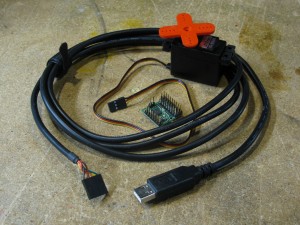
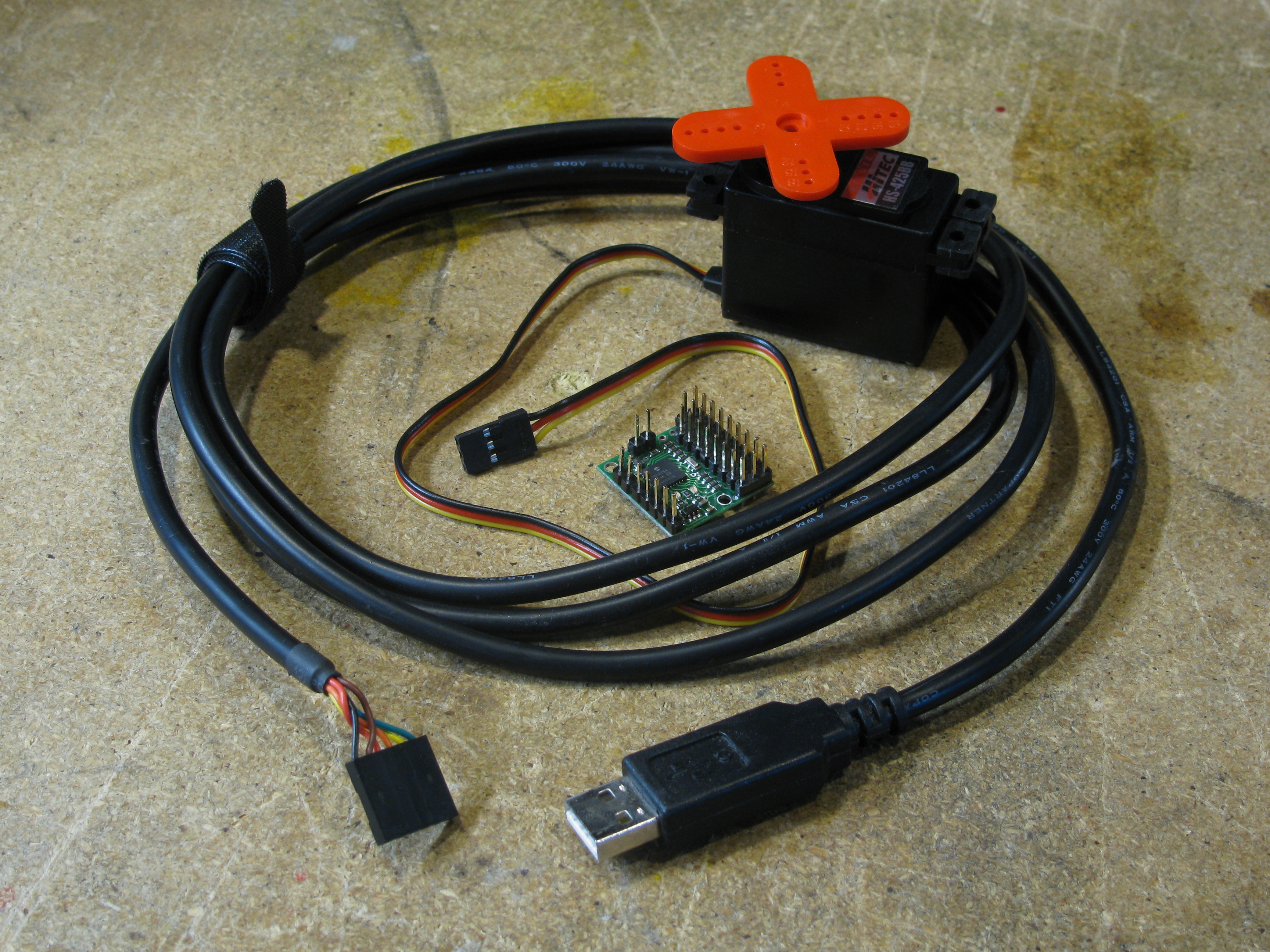
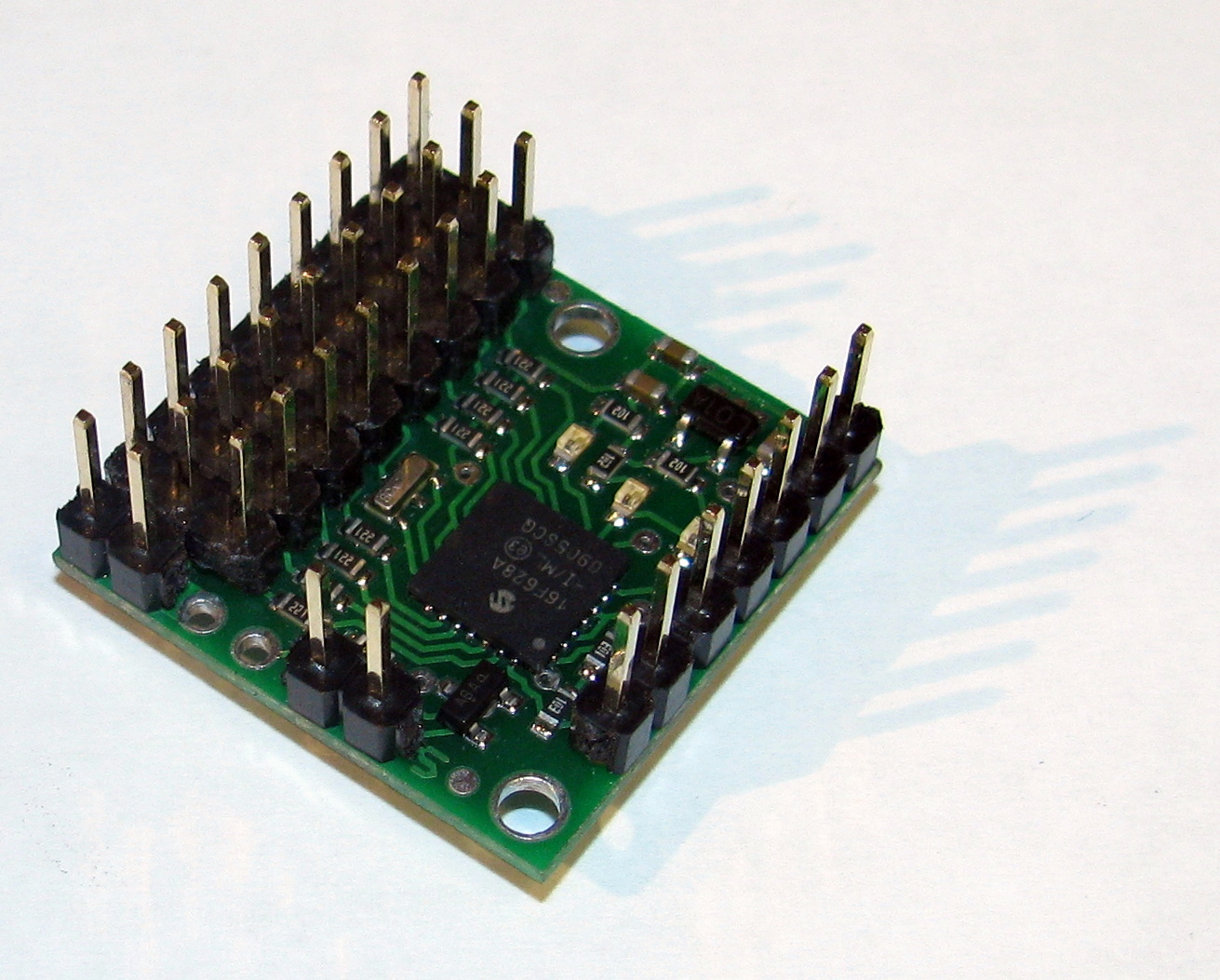
I chose the Pololu servo controller since it is easy to interface by either using a computer or a simple microcontroller. Also, I already own a USB-to-serial cable (that I normally use to program the Arduino) that I can use to send commands to the controller.

The choice of the servo motor was based in getting the maximum torque at a reasonable price.

In order to control the servo motor, I devised a simple python module as seen in my previous post.

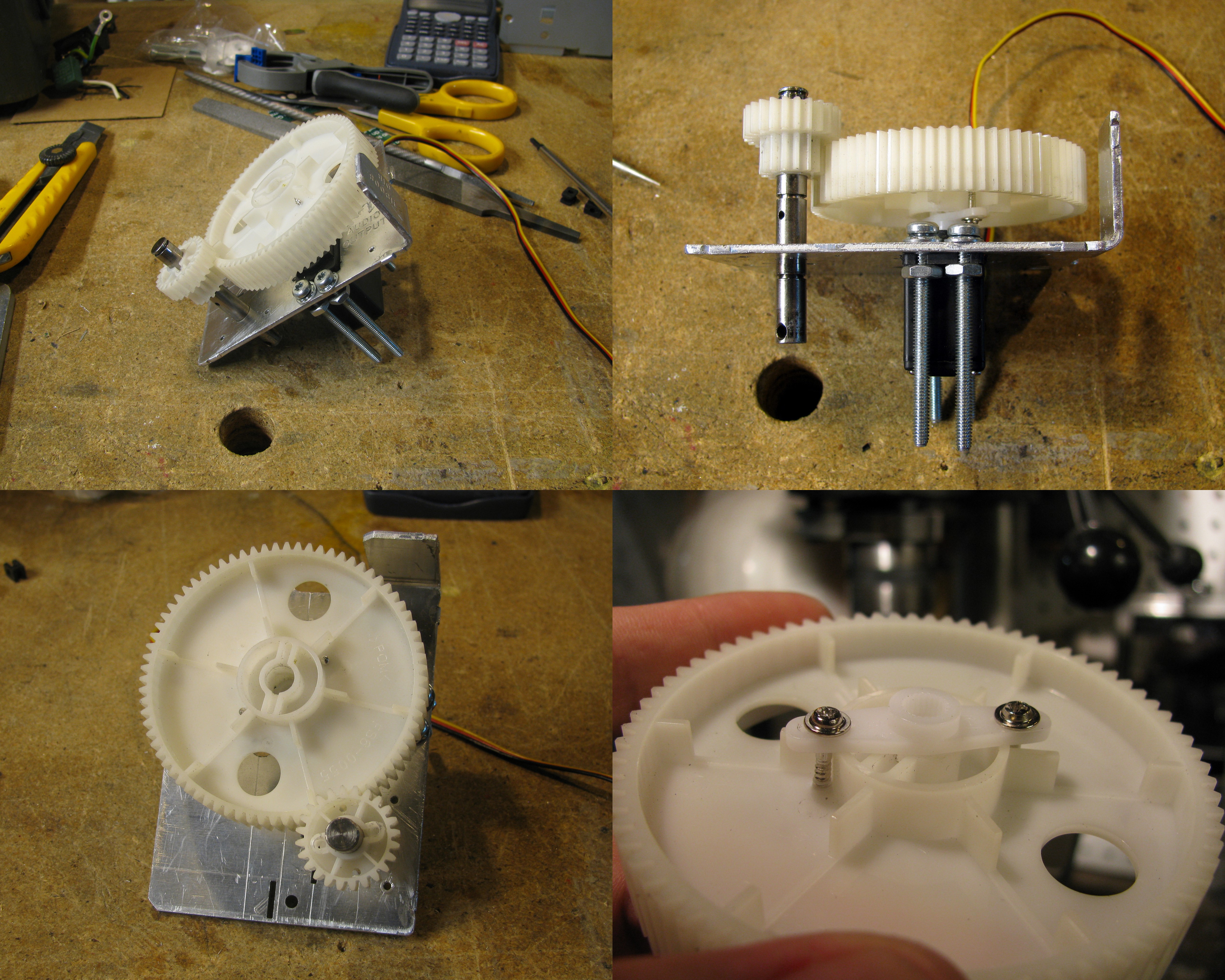
Since, usually, servo motors have a motion range slightly greater than 180 deg, I decided to use gears to be able to produce a motion range large enough to operate the safe (at least two full turns).
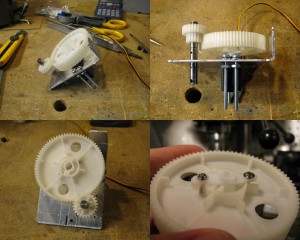
Mechanical Parts

Mechanical Parts

I used an old heat sink and cut it with the Dremel in order to produce a bracket for the servo and a mounting hole for the secondary (smallest) gear axle.

I attached the larger gear to the servo directly using the brackets and screws that came bundled with the motor. Also, in order to hold the shaft in place, I used e-style retaining rings and spacers (other dummy gears and shoulder washers) in order to match the grooves already present in the shaft. Of course, I got all these handy mechanical parts from an old photocopier I found in the garbage.
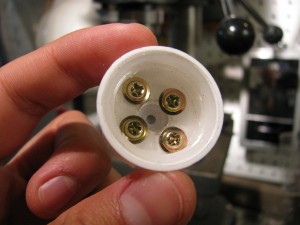
Dial coupling attached to the small gear

Dial coupling attached to the small gear

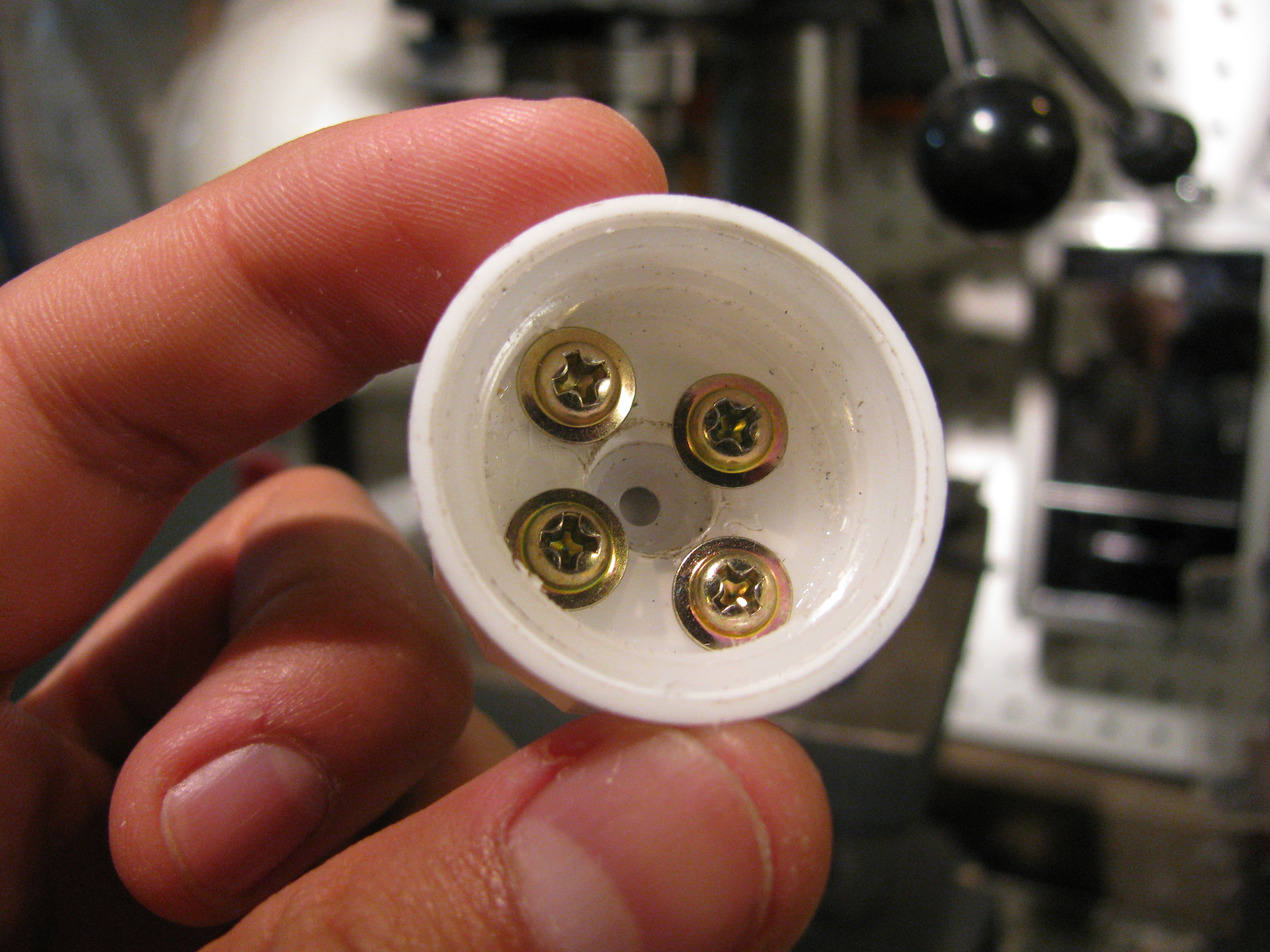
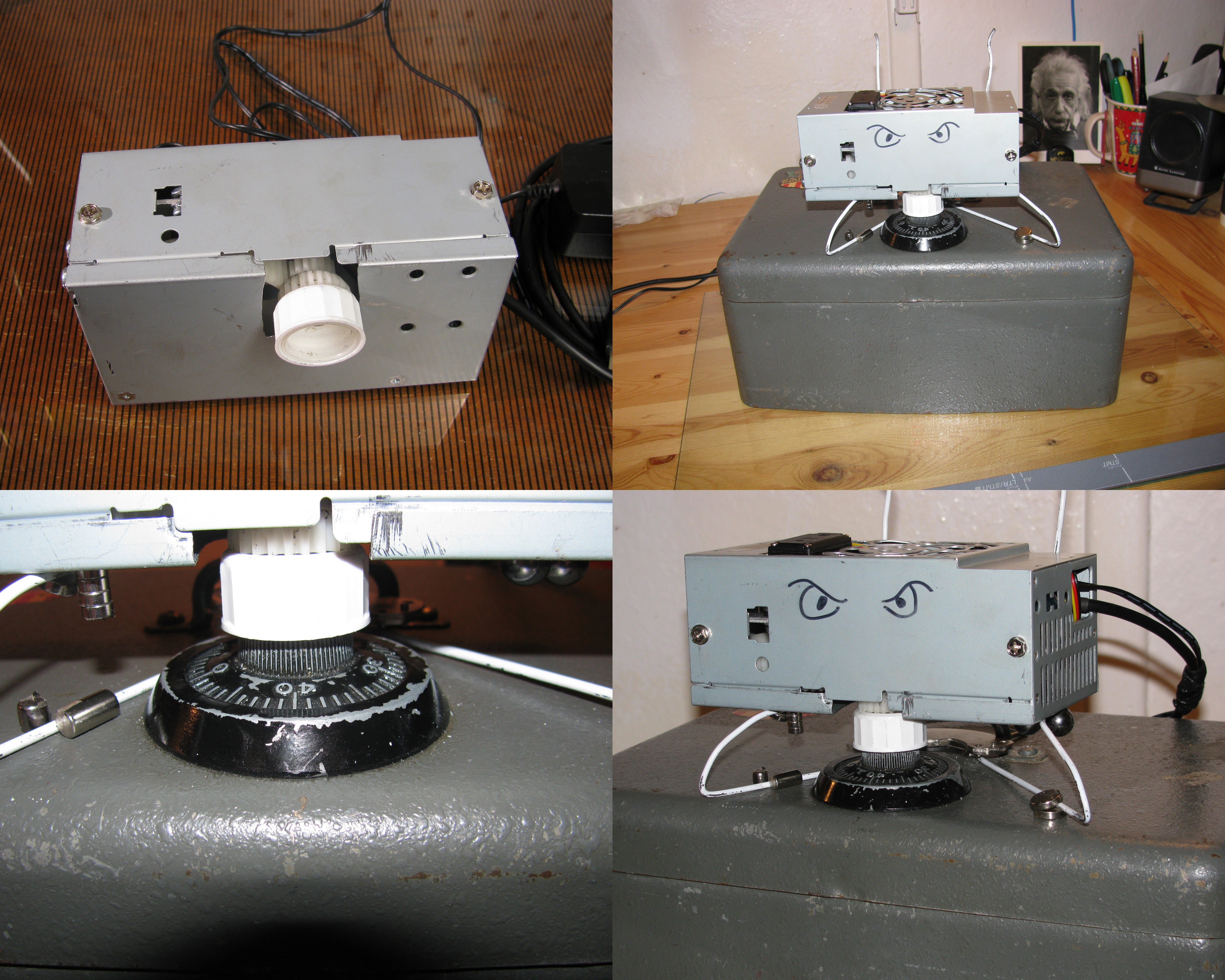
In order to couple the small gear to the safe dial, I used a bottle cap which fitted perfectly over it. The cap has some child proofing which provided a firm grip for the dial.
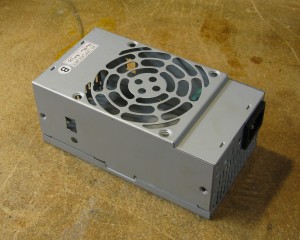
The Project Box

The Project Box

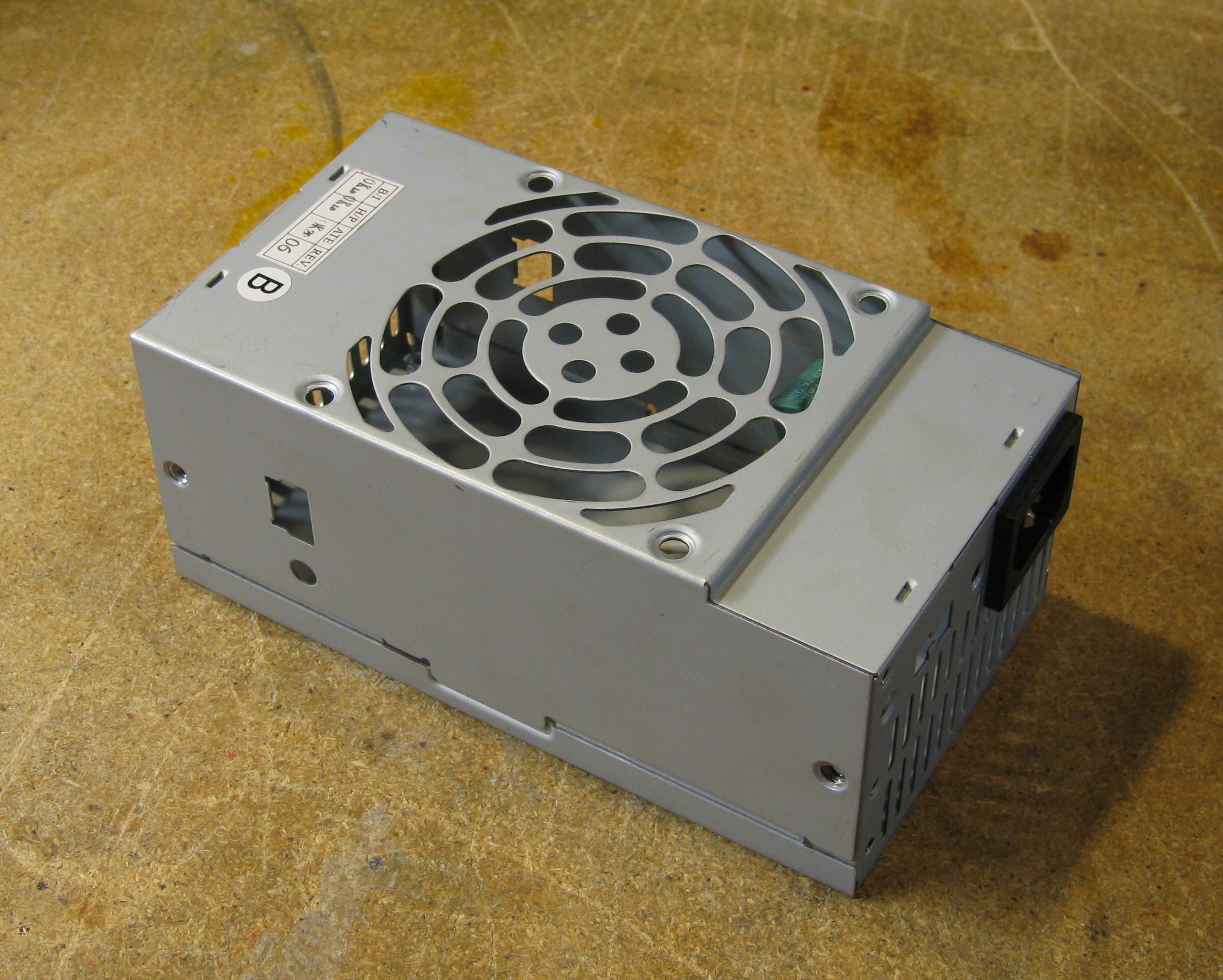
Once the assembly was done, I mounted it into an old power supply box. Although the box required some drilling and cutting, it was very easy to adapt. I would recommend using this type of boxes for other projects since they are sturdy and easy to machine.
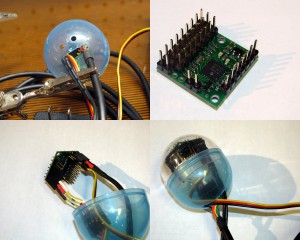
Electronic Assembly

Electronic Assembly

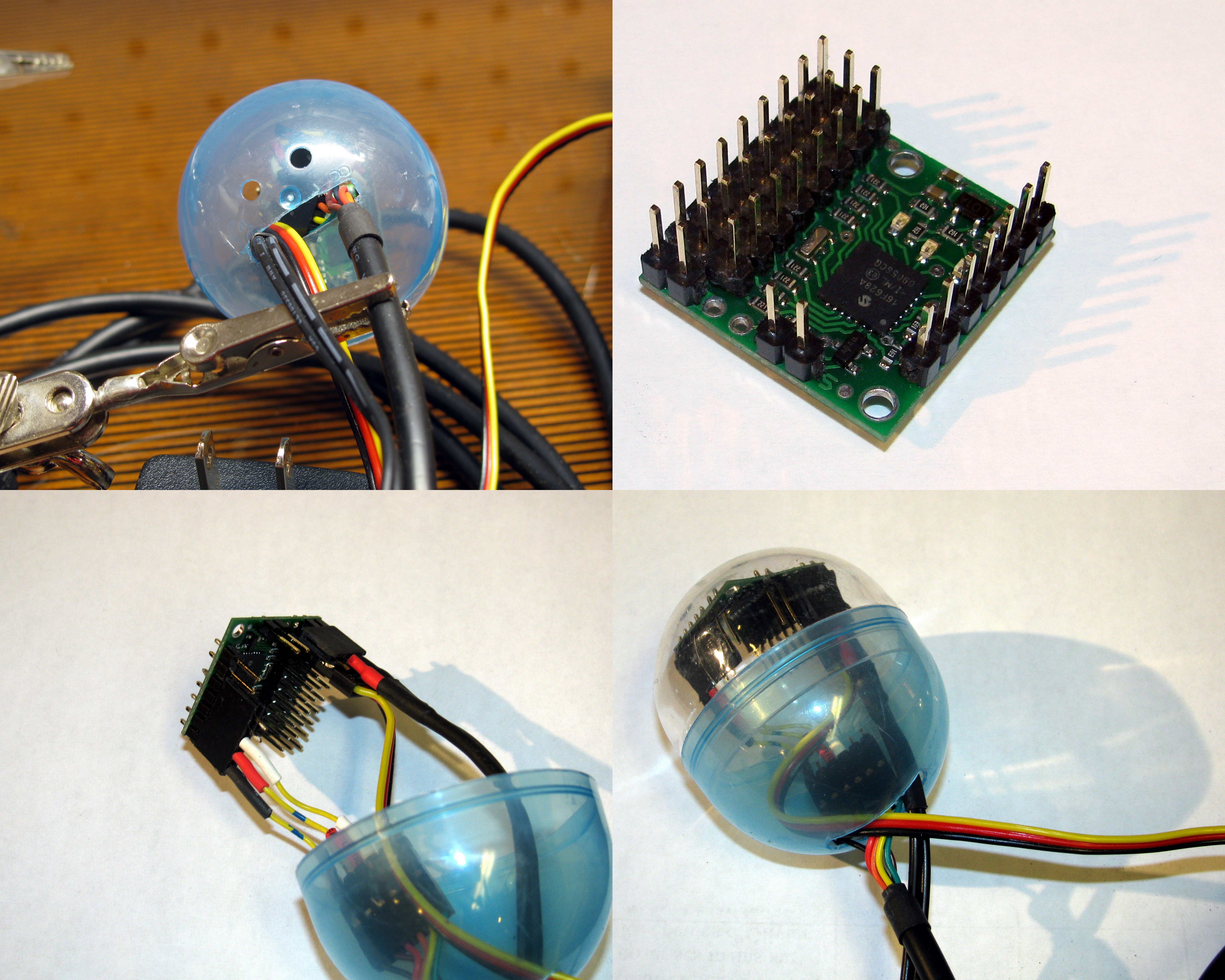
So to include the electronic parts into the box, I used a small plastic capsule (that must come from the time when my young brother liked those little toys they sell in a dispensing machine). In the capsule, I placed the Pololu servo controller, the USB to serial cable and the servo motor cable, and the power supply cable.

I needed to adapt the USB to serial cable in order to match the pin-out on the controller. For this, I used a male and a female header, and some wire. I connected the GND and the V+ pins to their respective counterparts, and the TX pin to the Serial-in pin.

In order to supply the appropriate power, I used an old cellphone charger and I replaced its original connector with a female header. As always, it is good practise to isolate the electrical connections with some heat-shrink tubing.

The (disappointing) outcome
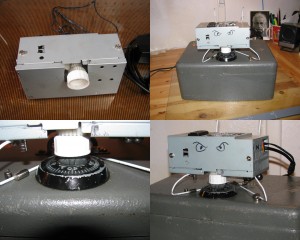
Very gentle safe cracker

Very gentle safe cracker

Once everything was done, I fixed the new little machine to the safe and got ready to get it trying codes. I used a coat hanger and some rare earth magnets in order to hold the cracker firmly in place.

To my great disappointment, I realized that the gears I used provoked a (much expected) torque reduction. This meant that the system is not strong enough for turning the dial to a set position reliably. No matter how much lubricant I used, the dial was too stiff for the little robot.

This represents a (temporary) victory for the safe, but the war is far from being over.

Epilogue

I decided to publish these results in spite of my failure since too often we read reports of success (notably in science) and often forget that we can learn from failures as well. Never do we read about scientits proving their original hypothesis wrong, but very often, documenting those mistakes could prevent others from doing the same.

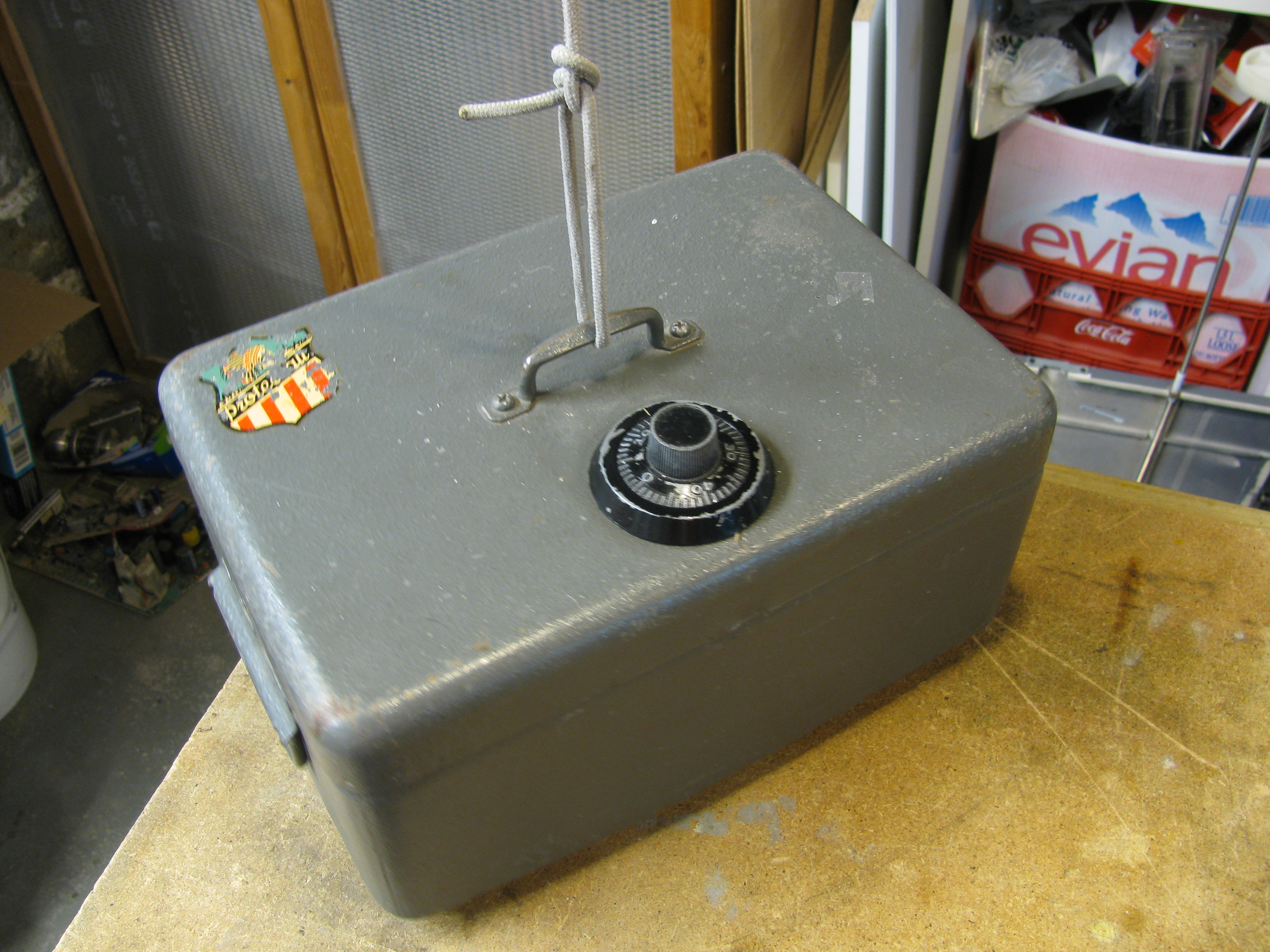
Finally, for those wondering how I was planning to pull on the safe lids so it opens, it is remarkably simple: since the safe does not have any handle to latch it closed, I merely need to hang it from its handle and try the codes until it opens and the bottom part goes down.
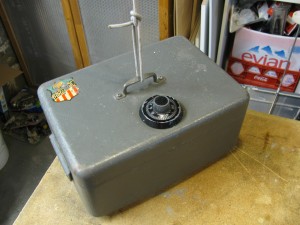
The safe hanging unaware of its fate

The safe hanging unaware of its fate

Finally (this time for real), I cannot say too much about my next plans on attacking the safe, but be sure that they involve a stepper motor.

Acknowledgements:

RobotShop.com

RobotShop.com

I would like to thank the great people at RobotShop for providing the Pololu Micro Serial Servo Controller and the Hitec HS-425BB Servo Motor. As I mentioned before, they will be sponsoring a set of projects here at Carlitos’ Contraptions in the foreseeable future.

They were also kind enough to quickly ship a replacement gear set when I ruined the original one on the servo motor by hand forcing it to turn (I know, I sound brilliant).


Share and Enjoy:
  • Digg
  • StumbleUpon
  • Reddit
  • Twitter
  • Facebook
  • del.icio.us
  • Google Bookmarks
  • Print
Categories: My Projects, Robotics Tags: ,

Pololu Python Library

July 16th, 2009 No comments
Pololu Micro Serial Servo Controller

Pololu Micro Serial Servo Controller

I started writing a library for controlling the Pololu motor controllers with a computer trough a serial port.

I’m writing this in Python so the code can be cross-platform but I would be very glad to have some feedback about running it on other OSs than Linux. Actually, any feedback would be very welcome.

As of now it can interface with the Pololu Micro Serial Servo Controller that I got form RobotShop. I am planning to use this code in my upcoming project RobotShop is sponsoring. I will supplement this library as I get newer hardware to work with.

I know there is already a python interface for it but I really wanted to have an object oriented way of managing motors (i.e. they can be instantiated and controlled more easily).

You can download the library here: lib_pololu.py (you will need to change the extension of the file to .py instead of txt).

In order to properly use this library you will require:

  1. Python
  2. Pyserial

If you use a civilized OS you may be able to get all this by typing this in a command prompt:

sudo apt-get install idle python-serial

Here is a sample script that will use the library in order to control a servo: servo_example.py (you will need to change the extension of the file to .py instead of txt).

Download
# Adding the path to the lib_pololu.py file to your modules path.
# Assuming that the file is at your/path/to/the/library/lib_pololu.py
import sys
sys.path.append(‘/your/path/to/the/library’)

#Import the lib_pololu module
import lib_pololu

#Import the serial communication module that should already be installed
import serial

#Open serial port
port = serial.Serial(‘/dev/ttyUSB0′)
port.baudrate=2400 #set an appropriate baudrate

#Create a motor assuming that the motor is connected to the connector
#number 0 on the controller. The two numbers (1150 and 4650) are
#the calibration values corresponding to the 0 ans 180 deg positions
#respectively. These are the numbers that should be sent to the servos
#using command 4 with the methos send_command() in lib_pololu
motor = lib_pololu.Servo(port, 0, 1150, 4650)

#Playing around with the motor
motor.set_pos(45) #sets the posotion of the motors in degerees.
motor.set_speed(100) #sets the speed at a value between 0 and 127
 

Note for Redmond OS (aka Window$) users: you will need the Win32 Python extension for pyserial to work.

Share and Enjoy:
  • Digg
  • StumbleUpon
  • Reddit
  • Twitter
  • Facebook
  • del.icio.us
  • Google Bookmarks
  • Print
Categories: My Projects, Robotics, Software Tags: